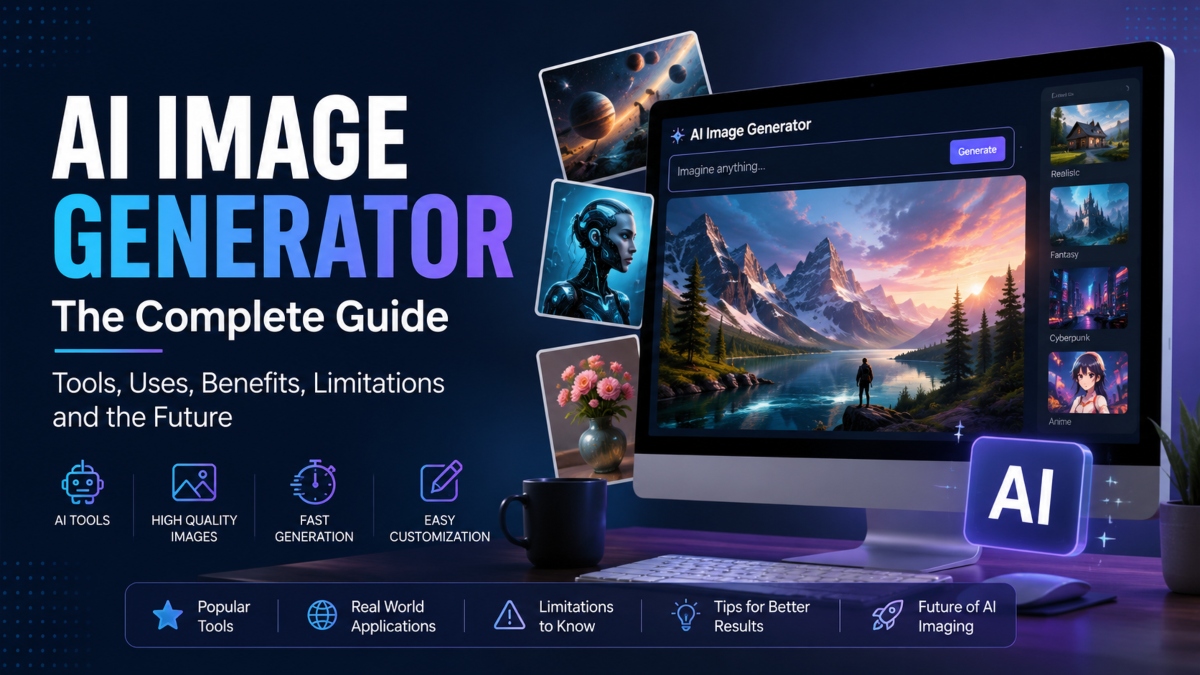
An AI image generator is a software tool that creates original images from a text prompt. Instead of searching through existing photos, it builds a brand new image based on the words you enter. You can describe a scene, an object, or an artistic style, and the tool turns that idea into a visual within seconds.
AI image generators are becoming popular among designers, marketers, bloggers, business owners, and content creators. They help produce graphics for websites, social media, advertisements, presentations, and creative projects while saving time and effort.
This guide explains everything you need to know about an AI image generator in simple language. You will learn how the technology creates images from text, the steps involved in the generation process, and the features that make modern tools so powerful. You will also discover the best AI image generator platforms available today, their strengths, common use cases, and the benefits they offer for personal and professional work.
Along the way, we will also cover the limits of AI image generation, including image quality, copyright concerns, and ethical questions. By the end, you will have a clear understanding of how AI image generators work and how to choose the right tool for your needs.
What Is an AI Image Generator?
An AI image generator is a tool that creates original images from written descriptions. You simply type what you want to see, and the software turns your words into a new image. It does not search for existing pictures. Instead, it creates fresh visuals by using machine learning to understand patterns, objects, colors, lighting, and styles learned from millions of image and text pairs.
These tools are useful for beginners and professionals alike. For example, if you type “a mountain cabin beside a peaceful lake during sunrise,” the AI image generator can create a unique picture that matches your description. This makes it easy to create artwork, marketing graphics, blog images, product concepts, and social media visuals without advanced design skills.
Definition of an AI Image Generator
An AI image generator is a machine learning system that converts text prompts into images. It studies large collections of images and their descriptions during training, allowing it to understand how words relate to visual elements. When you enter a prompt, the system creates a brand new image based on what it has learned instead of copying an existing picture.
How AI Generated Images Are Different from Stock Images
AI generated images and stock images may look similar at first, but they are created in different ways. Stock images are photographs or illustrations made by photographers and artists before you search for them. An AI image generator creates a new image after you enter a prompt. This gives you more freedom to customize details such as style, colors, background, lighting, and composition without searching through large image libraries.
Common Types of AI Image Generators
There are several types of AI image generators available today. Text to image tools create visuals from written prompts, while image to image tools transform an existing picture into a new version with a different style or appearance. Some platforms also include editing features that let you replace objects, remove backgrounds, expand images, or improve image quality with only a few simple instructions.
How Does an AI Image Generator Work?
An AI image generator may seem like magic, but it follows a series of well organized steps to turn words into images. Behind every generated picture is a combination of machine learning, language processing, and image creation technology working together. The process begins long before you enter a prompt because the model first needs to learn from a massive collection of images and text.
Once the training is complete, the AI image generator can understand descriptions, create visual ideas from random patterns, and gradually produce a finished image that matches your request. Think of it as an artist who has studied millions of pictures and can quickly paint something new after reading your instructions.
Training on Large Image and Text Datasets
The first step is training. During this stage, developers feed the AI image generator millions of images along with their captions or descriptions. These image and text pairs help the model learn how different words connect to visual features.
For example, the model learns that the word “sunset” is often linked with orange skies, warm lighting, and a low sun near the horizon. It also learns relationships between objects, colors, shapes, textures, and artistic styles.
Machine learning allows the model to recognize these patterns instead of memorizing individual images. Just as a student learns what different animals look like after seeing many examples, the AI image generator builds knowledge by studying a huge collection of visual data.
Diffusion Models Explained in Simple Terms
Most modern AI image generators use a technique called a diffusion model. Although the name sounds technical, the idea is quite simple.
Imagine looking at a blurry photograph that slowly becomes clearer each second. A diffusion model works in a similar way. During training, developers add random noise to real images until they are almost impossible to recognize. The model then learns how to remove that noise little by little.
When you create an image, the process starts with a canvas filled with random dots instead of a blank page. The AI gradually removes the noise while following your prompt. With each step, the picture becomes clearer until it turns into a detailed image.
You can compare this to solving a jigsaw puzzle. At first, the pieces appear scattered with no clear picture. As more pieces fit together, the final scene becomes easy to recognize.
Understanding Latent Space
Creating images pixel by pixel would require a huge amount of computing power. To make the process faster, many AI image generators work inside something called latent space.
You can think of latent space as a compressed version of an image. Instead of storing every tiny detail, it keeps only the most important visual information. This allows the model to work more efficiently before rebuilding the complete image.
A simple analogy is packing clothes into a suitcase. Everything is compressed to save space while still keeping all the essential items. Once you reach your destination, you unpack everything and the clothes return to their original form. An AI image generator follows a similar approach by compressing image data, processing it, and then expanding it into a full resolution picture.
How AI Understands Text Prompts
Before creating an image, the AI image generator must understand what your prompt means. This happens through a text encoder that converts your words into mathematical information the model can understand.
The encoder identifies important details such as the subject, style, lighting, colors, camera angle, and composition. It also understands how these details relate to one another.
For example, if your prompt says “a golden retriever wearing sunglasses on a tropical beach during sunset,” the AI recognizes the dog, the sunglasses, the beach, and the sunset as separate elements while understanding how they should fit together in one scene.
The more detailed your prompt is, the easier it becomes for the AI image generator to produce a result that matches your idea.
From Text Prompt to Finished Image
After your prompt is understood, the AI image generator follows several steps to create the final image.
First, your text prompt is converted into a format the model can process. Next, the system starts with random noise instead of an existing picture.
The diffusion model then begins removing the noise one step at a time while using your prompt as a guide. Shapes appear first, followed by objects, colors, lighting, textures, and smaller details. This gradual refinement continues until the image closely matches your description.
Once the main image is complete, it moves through an image decoder that converts the compressed information into a high quality picture.
Many AI image generators also perform final enhancements before displaying the result. These improvements can sharpen details, increase image resolution, adjust colors, reduce visual errors, and apply safety checks. Some tools also allow you to edit the generated image by replacing objects, changing backgrounds, or expanding the canvas with additional prompts.
Although the entire process involves advanced machine learning, it usually takes only a few seconds. What begins as random noise quickly transforms into a detailed image that reflects your written description, making an AI image generator one of the most impressive applications of modern artificial intelligence.
Key Features of Modern AI Image Generators
Modern AI image generators offer much more than creating pictures from text. They include a wide range of features that help users design, edit, and improve images with minimal effort. Whether you are creating content for a business, social media, or personal projects, these tools can complete tasks that once required advanced design skills. Here are the most useful features available in today’s AI image generator platforms.
Text to Image Generation
Text to image generation is the main feature of an AI image generator. You simply type a description of the image you want, and the software creates a new visual based on your prompt. For example, you can request “a modern office with large windows and indoor plants” and receive a unique image within seconds. This feature is useful for blog graphics, advertisements, product concepts, and creative artwork.
Image Editing and Generative Fill
Many AI image generators can edit existing images instead of creating new ones from scratch. With generative fill, you can remove unwanted objects, add new elements, repair damaged areas, or expand parts of an image. This makes it easy to improve photos without spending hours using professional editing software.
Style Transfer
Style transfer allows you to change the appearance of an image while keeping its main subject. For example, you can transform a regular photograph into a watercolor painting, a pencil sketch, or a digital illustration. This feature helps artists, marketers, and content creators produce visuals that match a specific creative style.
Image Upscaling
Image upscaling improves the quality and resolution of an image without losing important details. This is especially helpful when preparing images for websites, presentations, posters, or print materials. Many AI image generator tools can sharpen fine details and reduce blur while increasing image size.
Background Replacement
Changing a background is often as simple as describing the new scene you want. Instead of manually cutting out subjects, an AI image generator can replace a plain background with an office, a beach, a city skyline, or any other setting that fits your project. This feature is useful for product photos, promotional graphics, and profile images.
Prompt Controls and Customization
Modern AI image generators give users more control over the final result. You can adjust details such as lighting, colors, camera angle, image size, artistic style, and aspect ratio. Many tools also support reference images and negative prompts to help avoid unwanted elements. These controls make it easier to create images that closely match your original idea while reducing the need for repeated edits.
Popular AI Image Generator Tools
The number of AI image generator platforms has grown quickly over the past few years. While they all create images from text prompts, each tool has its own strengths, editing features, pricing, and learning curve. Some focus on realistic images, while others produce artistic artwork or offer advanced editing capabilities. Understanding these differences can help you choose the right AI image generator for your projects.
DALL·E 3
DALL·E 3 is one of the most popular AI image generator tools available today. It is designed to understand detailed prompts and produce images that closely match the user’s description. Since it is available through ChatGPT, beginners can create images without learning complicated settings.
The biggest strength of DALL·E 3 is its strong prompt understanding. It can generate realistic scenes, illustrations, marketing graphics, and concept art with minimal effort. It also includes safety measures that reduce the chance of creating harmful or misleading content.
One limitation is that users have fewer advanced customization options compared to some other platforms. Artists who want detailed control over every aspect of an image may find it less flexible.
DALL·E 3 is easy to use and works well for bloggers, marketers, educators, business owners, and anyone looking for high quality images with simple prompts. Commercial use depends on the service plan and licensing terms provided by OpenAI.
Midjourney
Midjourney is known for creating visually striking artwork with rich colors and impressive detail. Many designers and digital artists prefer it because of its ability to produce creative and cinematic images.
Its greatest strength is artistic quality. It performs especially well when creating fantasy artwork, character designs, landscapes, fashion concepts, and digital illustrations.
The main drawback is its learning curve. New users may need time to understand prompt writing and available settings. It also operates differently from many other AI image generator platforms, which can feel unfamiliar at first.
Midjourney is best suited for artists, designers, advertising agencies, and creative professionals who value visual style over speed. Commercial use is available under its subscription plans.
Stable Diffusion
Stable Diffusion is an open source AI image generator that gives users a high level of flexibility. It can run on personal computers with suitable hardware or through many online services.
Its biggest advantage is customization. Users can install community created models, add extensions, train custom styles, and adjust many image generation settings. This level of control makes it a favorite among developers and experienced users.
The downside is that setup can be more complicated than cloud based services. Running Stable Diffusion locally may also require a powerful graphics card.
Stable Diffusion is ideal for developers, researchers, advanced creators, and businesses that want full control over their image generation workflow. Commercial use depends on the model and platform being used.
Adobe Firefly
Adobe Firefly is designed for people who already use Adobe Creative Cloud. It works smoothly with applications such as Photoshop and Illustrator, making it easy to add AI powered features to existing design projects.
One of its strongest advantages is commercial friendly content generation. Adobe has focused on providing images suitable for business use while offering editing tools such as generative fill and background replacement.
Firefly may offer fewer artistic styles than some competing platforms, but it performs very well for graphic design, advertising, presentations, and branded content.
The platform is beginner friendly and works well for designers, marketing teams, photographers, and businesses that already rely on Adobe software.
FLUX
FLUX is a newer AI image generator that has attracted attention for its impressive image quality and accurate prompt interpretation. It produces detailed visuals while maintaining natural lighting and realistic textures.
Its strengths include strong image quality, fast generation, and consistent results across many subjects. It also performs well with longer prompts that contain multiple visual details.
Since FLUX is relatively new, some features, integrations, and community resources are still growing. Availability may also depend on the platform offering the model.
FLUX is suitable for content creators, designers, marketers, developers, and businesses looking for modern image generation technology with excellent visual quality.
Which AI Image Generator Is Right for You?
The best AI image generator depends on your goals and experience level. If you want an easy way to create images with simple prompts, DALL·E 3 is an excellent choice. Artists looking for creative and highly detailed artwork may prefer Midjourney. Users who want complete control and customization often choose Stable Diffusion. Adobe Firefly is a strong option for professional design workflows, while FLUX offers excellent image quality for users who want newer generation models.
Before choosing a platform, compare pricing, commercial licensing, editing features, image quality, and ease of use. Testing a few tools with the same prompt can help you find the one that matches your workflow.
| AI Image Generator | Best Use Cases | Strengths | Weaknesses | Ease of Use | Commercial Usage | Suitable Users |
|---|
| DALL·E 3 | Blog images, marketing, illustrations | Excellent prompt understanding, beginner friendly | Fewer advanced controls | Very Easy | Available under applicable licensing terms | Beginners, marketers, educators, business owners |
| Midjourney | Digital art, concept art, creative projects | Outstanding artistic quality | Takes time to learn | Moderate | Available with subscription | Artists, designers, creative professionals |
| Stable Diffusion | Custom image generation, research, development | Highly customizable, open source | Requires more technical knowledge | Moderate to Advanced | Depends on model and platform | Developers, advanced users, businesses |
| Adobe Firefly | Graphic design, branding, advertising | Strong editing tools, Creative Cloud integration | Smaller style selection | Easy | Designed for professional workflows | Designers, marketing teams, photographers |
| FLUX | Realistic images, creative content, business graphics | High image quality, accurate prompt handling | Smaller ecosystem due to being newer | Easy | Depends on service provider |
Popular Uses of AI Image Generators
An AI image generator has become a valuable tool across many industries. It helps businesses create professional visuals, speeds up creative work, and reduces the time needed to produce original images. From marketing campaigns to classroom materials, AI image generators make it easier to turn ideas into high quality visuals without advanced design experience.
Marketing Graphics
Marketing teams use an AI image generator to create banners, promotional graphics, email headers, and website visuals. Instead of waiting for custom artwork, businesses can produce unique images that match a campaign in just a few minutes. This allows brands to launch promotions faster while keeping their content fresh and visually appealing.
Social Media Content
Social media creators need a steady stream of engaging visuals. An AI image generator can produce eye catching images for posts, stories, profile banners, and advertisements. Influencers, small businesses, and marketing agencies often create custom graphics that match seasonal campaigns, product launches, or trending topics without relying on stock photos.
Blog Featured Images
Blog articles attract more readers when they include relevant featured images. An AI image generator helps bloggers and publishers create unique visuals that match the topic of each article. Whether the content is about technology, travel, business, or education, custom images can improve the appearance of a website while supporting search engine optimization through original visual content.
Product Mockups
Businesses use AI image generators to create realistic product mockups before manufacturing begins. A company can visualize new packaging, clothing designs, furniture, or electronic products without producing physical samples. This allows teams to review different concepts, collect feedback, and make changes before investing in production.
Concept Art
Artists, filmmakers, and creative studios use an AI image generator to develop concept art during the early stages of a project. They can quickly create characters, environments, vehicles, buildings, and fantasy worlds from written descriptions. These visuals help teams discuss ideas and choose a creative direction before starting detailed artwork.
Game Development
Game developers use AI image generators to speed up the planning process. They create early character designs, landscapes, buildings, weapons, and user interface concepts that guide the development team. While final game assets often receive additional refinement, AI generated visuals help reduce the time needed for initial brainstorming and design exploration.
Educational Content
Teachers, trainers, and online course creators use AI image generators to produce illustrations that explain complex ideas in a simple way. Custom diagrams, historical scenes, scientific examples, and classroom graphics can make lessons more engaging while supporting different learning styles. Students also benefit by creating visual presentations for assignments and research projects.
Advertising
Advertising agencies use AI image generators to create campaign concepts, digital advertisements, billboards, and promotional materials. Instead of organizing expensive photo shoots for every idea, creative teams can produce multiple visual concepts, compare different styles, and present options to clients much faster. This speeds up the creative process while giving businesses more flexibility during campaign planning.
Benefits of Using an AI Image Generator
An AI image generator offers practical advantages for individuals, businesses, and creative teams. It helps users produce original visuals more quickly while reducing the time and effort required for many design tasks. Whether you are managing a marketing campaign, writing blog posts, or developing new products, these tools can simplify your workflow and support faster decision making.
Faster Content Creation
Creating original graphics from scratch often takes hours or even days. An AI image generator can produce several image options within minutes after you enter a text prompt. For example, a blogger writing about travel can generate a custom featured image without searching through hundreds of stock photos. A marketing team can also create multiple advertisement concepts on the same day instead of waiting for a complete design process.
Lower Design Costs
Hiring designers or purchasing premium stock images can increase project expenses, especially for small businesses and startups. An AI image generator helps reduce these costs by producing custom visuals whenever they are needed. A local business creating social media posts or promotional banners can generate unique images without paying for every individual design. This allows companies to invest their budget in other areas while still maintaining professional looking content.
Creative Inspiration
Even experienced designers sometimes struggle to develop fresh ideas. An AI image generator can provide several visual concepts from a single prompt, helping users explore different styles, colors, layouts, and compositions. For instance, a product designer can generate multiple packaging ideas before selecting one for further development. Writers and content creators can also use AI generated images to visualize scenes and support creative planning.
Easy Image Customization
Modern AI image generators make it simple to adjust images without starting over. Users can change backgrounds, replace objects, modify lighting, update colors, or create different artistic styles by editing the original prompt. For example, an online store can place the same product in different environments for seasonal promotions without arranging new photo sessions. This flexibility saves time while keeping visual content consistent across different campaigns.
Better Productivity
An AI image generator helps teams complete projects more efficiently by reducing repetitive design work. Marketing departments can create graphics for websites, emails, and social media from a single campaign idea. Teachers can prepare classroom illustrations more quickly, while business owners can produce presentation graphics without waiting for outside support. By handling routine image creation tasks, AI allows users to spend more time on planning, strategy, and creative decision making.
Limitations of AI Image Generators
An AI image generator can create impressive visuals in a short amount of time, but it is not perfect. The quality of the final image depends on the prompt, the model, and the data used during training. Understanding these limitations helps users set realistic expectations and use AI generated images responsibly. While the technology continues to improve, there are still several areas where human review and editing remain important.
Prompt Accuracy
The quality of an image often depends on how clearly the prompt is written. A short or vague description may produce unexpected results, while a detailed prompt usually creates a more accurate image. Even then, the AI image generator may misunderstand certain instructions or ignore smaller details.
For example, if you request a person holding a specific object in a particular setting, the generated image might include the correct background but place the object in the wrong position. Many users improve their results by refining prompts through several attempts.
Image Artifacts
Although image quality has improved significantly, AI image generators can still produce visual errors. Small details such as hands, fingers, reflections, jewelry, and complex patterns may appear distorted or unrealistic. In crowded scenes, objects can overlap in unnatural ways or contain extra parts that do not belong.
These issues are less common than they were in earlier models, but they can still appear, especially in highly detailed or unusual requests. Careful editing is often needed before using the image in professional projects.
Incorrect Text Rendering
Most AI image generators still struggle to produce readable text inside images. Signs, labels, posters, and product packaging may contain random letters, misspelled words, or characters that have no meaning.
For example, if you request a storefront with a business name on the sign, the image may contain distorted lettering instead of the exact words you requested. Many designers solve this by generating the artwork with AI and then adding text later using graphic design software.
Bias in AI Models
AI image generators learn from large collections of existing images and written descriptions. If those training materials contain limited representation or repeated patterns, the generated images may reflect those patterns as well.
For instance, prompts related to certain professions, cultures, or lifestyles may produce less varied results than expected. Developers continue working to improve model fairness, but users should review AI generated images carefully, especially when creating content for diverse audiences.
Copyright Questions
Copyright remains an important topic in AI image generation. Different countries have different rules about ownership of AI generated content, and those rules continue to change. Users should also review the licensing terms of the AI image generator they choose because commercial rights can vary between platforms.
If an image will be used for advertising, branding, or products for sale, it is wise to confirm that the platform allows commercial use. Businesses should also avoid creating images that closely imitate protected artwork, logos, or recognizable characters without permission.
Ethical Concerns
AI image generators make it easy to create realistic visuals, which creates new responsibilities for users. Images can sometimes present fictional scenes in ways that appear authentic. For this reason, content creators should avoid using AI generated images to mislead viewers or present false information as real events.
Many organizations now include clear labels when AI generated visuals are used in news articles, educational resources, or promotional materials. Being transparent helps build trust with audiences.
Deepfake Risks
One of the most discussed concerns is the creation of deepfake images. AI tools can generate highly realistic pictures that resemble real people or events. If used irresponsibly, these images can spread false information, damage reputations, or create confusion.
Many AI image generator platforms have introduced safety measures that restrict harmful requests and reduce misuse. Even with these protections, users should verify images before sharing them and use AI generated content in a responsible and ethical manner.
How to Write Better AI Image Prompts
The quality of an image created by an AI image generator depends largely on the prompt you provide. A clear and detailed prompt gives the model better instructions, making it easier to create an image that matches your idea. Small improvements in wording can produce noticeably different results, so learning how to write effective prompts is a valuable skill.
The following tips can help beginners and experienced users create more accurate and visually appealing images.
Describe the Subject Clearly
Start by explaining the main subject of the image. Include details about the person, object, animal, or location you want to create. The more specific your description, the more likely the AI image generator will produce a result that matches your expectations.
Example Prompt
“A modern wooden cabin beside a peaceful mountain lake surrounded by pine trees during sunrise.”
Include Style and Lighting
After describing the subject, mention the artistic style and lighting. This helps shape the mood and appearance of the image.
You can request styles such as realistic photography, watercolor, digital painting, anime, or pencil sketch. Lighting descriptions such as soft morning light, golden hour, studio lighting, or dramatic shadows also improve the final result.
Example Prompt
“A realistic portrait of a golden retriever sitting in a flower garden with soft morning light and natural colors.”
Add Camera Angles
Camera angles influence how the final image looks. Including this information gives the AI image generator additional guidance when composing the scene.
Common options include close up, wide angle, aerial view, eye level, low angle, and overhead view.
Example Prompt
“A futuristic city skyline at night viewed from a wide angle with glowing buildings and reflections on wet streets.”
Specify Colors
Color choices help create the right atmosphere and maintain a consistent visual style. Mention the dominant colors you want in the image instead of leaving the selection to the AI.
For example, you might request warm earth tones for a nature scene or blue and silver for a modern technology illustration.
Example Prompt
“A luxury living room with white walls, light wood furniture, green indoor plants, and warm natural lighting.”
Use Negative Prompts
Many AI image generator tools allow negative prompts, which tell the model what to avoid. This feature helps reduce unwanted objects or visual mistakes.
For example, you can ask the model to avoid blurry images, extra people, low quality details, distorted hands, or watermarks. Negative prompts are especially useful when generating realistic images or product visuals.
Example Prompt
Prompt: “A professional product photo of a wireless headset on a clean white background.”
Negative Prompt: “Blurry, low quality, watermark, extra objects, distorted shapes, duplicate items.”
Refine Your Prompt
Creating the perfect image often takes more than one attempt. Instead of replacing your entire prompt, make small changes after reviewing each result. You can adjust the lighting, background, colors, composition, or subject details until the image better matches your vision.
For example, if the first image looks too dark, update the prompt with brighter lighting. If the background feels too busy, describe a simpler setting. This step by step approach usually produces better results than writing a completely new prompt each time.
Example Prompt
“A modern coffee shop interior with large windows, comfortable seating, warm afternoon sunlight, green plants, realistic photography, high detail, eye level view.”
By combining clear descriptions, visual details, camera angles, colors, and negative prompts, you can create prompts that consistently produce higher quality images while reducing the need for repeated edits.
How to Choose the Best AI Image Generator
Choosing the best AI image generator depends on your goals, budget, and the type of images you want to create. Some tools focus on realistic photos, while others perform better with illustrations, concept art, or graphic design. Before selecting a platform, compare the features that matter most for your workflow. The right choice can save time, improve image quality, and make content creation much easier.
Image Quality
Image quality should be one of your first considerations. A good AI image generator should produce clear images with realistic lighting, natural colors, and sharp details. Test the tool with several prompts to see how well it handles faces, landscapes, objects, and complex scenes. Consistent quality across different image styles is often a good sign of a reliable platform.
Prompt Accuracy
A strong AI image generator should closely follow your instructions. Compare how different tools respond to the same prompt. Pay attention to whether the generated image includes the correct subject, background, lighting, colors, and composition. Better prompt accuracy means you will spend less time editing or repeating requests.
Editing Features
Many AI image generators include editing tools that can improve your workflow. Features such as object removal, background replacement, image expansion, and generative fill allow you to make changes without starting from the beginning. If you regularly update marketing graphics, product images, or social media content, these editing capabilities can save a significant amount of time.
Commercial Licensing
If you plan to use AI generated images for business purposes, review the platform’s licensing policy before creating important projects. Some services allow commercial use under certain subscription plans, while others may include restrictions. Understanding these terms helps avoid problems when using images for advertising, websites, printed materials, or products for sale.
Speed and Pricing
Generation speed becomes important when working on multiple projects or large marketing campaigns. Compare how quickly different tools create images and whether they offer enough monthly credits for your needs. Free plans are useful for testing features, while paid plans often provide higher image quality, faster generation, and additional editing options.
Safety Features
Responsible AI image generators include safeguards that help reduce harmful or misleading content. They may limit requests involving illegal activities, explicit material, or attempts to create deceptive images. Platforms with strong safety measures also tend to provide a more reliable experience for businesses, educators, and professional creators.
AI Image Generator Selection Checklist
Before choosing an AI image generator, ask yourself the following questions:
- Does it create high quality images consistently?
- Does it follow detailed prompts accurately?
- Does it include useful editing tools?
- Can the images be used for commercial projects?
- Is the pricing suitable for your budget?
- Does it generate images quickly enough for your workflow?
- Does it provide reliable safety features?
- Does it support the image styles you create most often?
- Is the interface easy to learn and use?
- Does it receive regular updates and improvements?
Comparing several platforms with the same prompts is one of the easiest ways to find the AI image generator that best matches your creative and business needs.
Future of AI Image Generation
AI image generation continues to improve as researchers develop more capable models and businesses expand their use of the technology. While no one can predict every future development, several trends are already becoming clear. These improvements focus on making image creation more accurate, efficient, and practical for everyday work rather than replacing human creativity.
Better Prompt Understanding
Future AI image generators are expected to interpret prompts with greater accuracy. Current models already understand detailed instructions better than earlier versions, but they can still miss small details or misunderstand complex requests. Continued improvements in language understanding should help users create the images they want with fewer prompt revisions.
Higher Resolution Images
Image quality continues to improve with each new generation of AI models. Future tools are likely to produce higher resolution images with sharper details, cleaner textures, and more realistic lighting. This will make AI generated visuals more suitable for large prints, advertising materials, product packaging, and other professional design projects that require high quality output.
Faster Generation
Processing speed has improved significantly in recent years, and this trend is expected to continue. Faster image generation allows designers, marketers, and content creators to test more ideas in less time. As computing hardware becomes more powerful and AI models become more efficient, users should be able to generate high quality images with shorter waiting times.
Improved Editing Features
Future AI image generators are expected to provide more advanced editing tools. Users will likely gain greater control over individual objects, backgrounds, lighting, facial expressions, and image composition without needing to regenerate the entire image. Better editing features can reduce manual work and make it easier to refine images for professional projects.
Growing Business Adoption
Businesses across marketing, ecommerce, education, media, and product design are already using AI image generators to support content creation and creative planning. As these tools become more reliable and easier to use, adoption is likely to increase. Companies will continue to combine AI generated visuals with human creativity, professional editing, and brand guidelines to produce content that meets quality and business requirements while improving efficiency.
Final Thoughts
An AI image generator has become a practical tool for businesses, content creators, educators, designers, and hobbyists who want to create original visuals more efficiently. Modern platforms can generate marketing graphics, blog images, product concepts, educational illustrations, and creative artwork from simple text prompts. At the same time, it is important to understand their limitations, including prompt accuracy, image quality, copyright considerations, and responsible use.
The best AI image generator is not the same for everyone. Some users need realistic images for business projects, while others value artistic styles, advanced editing tools, or flexible customization. Before making a decision, compare image quality, prompt accuracy, editing features, licensing terms, pricing, and ease of use. Testing the same prompt across several platforms is one of the simplest ways to identify the tool that fits your workflow.
As AI technology continues to improve, image generation will become more accurate, faster, and easier to use. By choosing the right platform and learning how to write effective prompts, you can create high quality visuals that support your personal, creative, or business goals with greater confidence.
Frequently Asked Questions
What is an AI image generator?
An AI image generator is a tool that creates original images from written instructions or other visual inputs. It uses machine learning models trained on large collections of images and text to understand what the user wants to create. People use these tools for marketing graphics, blog illustrations, product concepts, social media content, and many other creative projects.
How does an AI image generator create images?
An AI image generator analyzes the words in a prompt, identifies the requested objects, styles, colors, and composition, then gradually builds an image that matches those instructions. Modern models improve the image through several processing steps until a clear and detailed result is produced.
Are AI generated images free to use?
Some AI image generators offer free plans with limited features or daily usage limits, while others require a paid subscription. Whether an image can be used freely also depends on the platform’s licensing terms. Always review the usage policy before publishing or selling AI generated content.
Which AI image generator is best for beginners?
Beginners usually benefit from tools that have simple interfaces and strong prompt understanding. Platforms such as DALL·E 3 and Adobe Firefly are often considered good starting points because they require little technical knowledge while producing high quality images.
Can AI image generators create realistic photos?
Yes. Many modern AI image generators can produce highly realistic images with detailed lighting, textures, and backgrounds. The final quality depends on the model being used and how clearly the prompt describes the desired result.
Are AI generated images copyrighted?
Copyright rules for AI generated images vary by country and continue to develop. Platform licensing terms can also differ. If you plan to publish, sell, or use AI generated images in commercial projects, review the applicable copyright guidance and the platform’s usage policy.
Can businesses use AI generated images commercially?
Many AI image generators allow commercial use through specific subscription plans or licensing agreements. Businesses commonly use AI generated images for websites, advertising, presentations, product mockups, and social media campaigns. Before using any image commercially, confirm that your chosen platform grants the necessary rights.
What is the difference between an AI image generator and an AI art generator?
An AI image generator can create many types of visuals, including realistic photographs, illustrations, marketing graphics, product concepts, and educational images. An AI art generator usually focuses more on creative, artistic, or stylized images. In practice, many modern platforms support both types of image creation.
Do AI image generators work from text prompts only?
No. While text prompts remain the most common input, many AI image generators also support image editing, reference images, background replacement, style changes, inpainting, outpainting, and generative fill. These features allow users to modify existing images as well as create new ones.
What makes a good AI image prompt?
A good prompt clearly describes the subject, style, lighting, colors, camera angle, and important details. It should avoid vague wording and include specific instructions whenever possible. Testing small prompt changes and refining the description over several attempts usually produces more accurate and higher quality images.
Read More: AI Transformation Is a Problem of Governance
