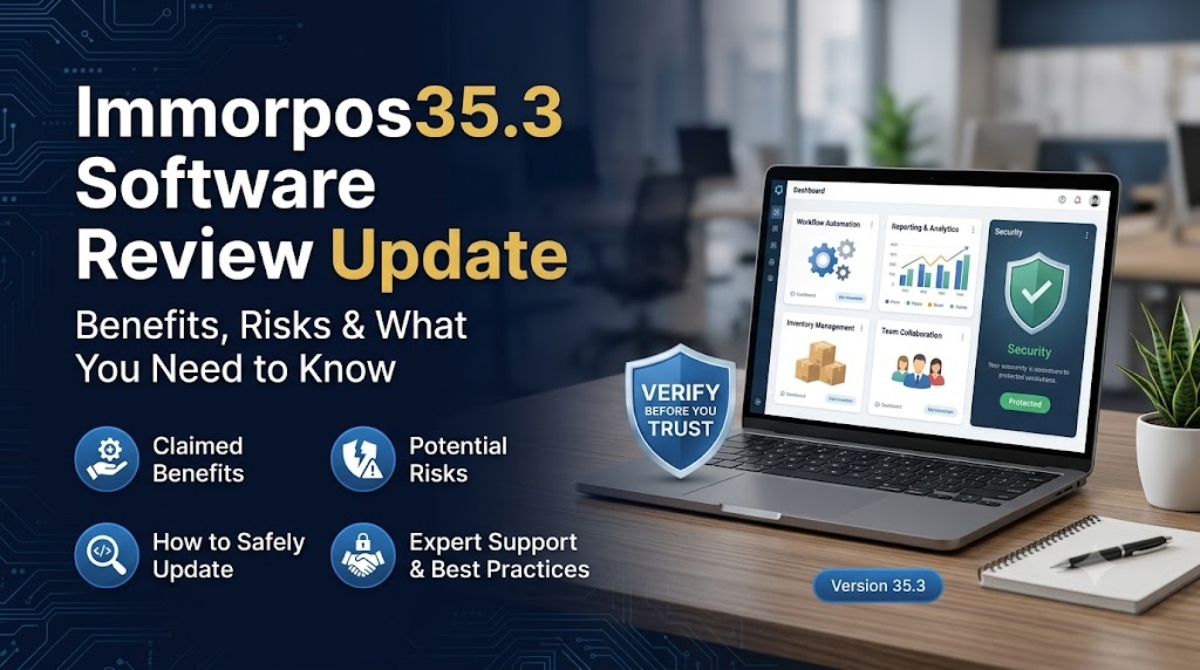
Many websites discuss the benefits of Immorpos35.3 software and describe it as a tool for improving business operations. Some sources mention workflow automation, reporting, inventory management, collaboration, and security features. While these descriptions may sound useful, they do not present consistent information about what the software actually does.
One source may describe Immorpos35.3 as a business management platform, while another presents it as a security utility or a media editing application. This lack of consistency makes it difficult to confirm which claims, if any, are accurate. At the time of writing, no official developer, product documentation, or trusted software listing clearly verifies these features.
This article separates online claims from information that can be confirmed through reliable sources. You will learn what benefits are commonly mentioned, why those claims should be viewed with caution, and how to evaluate unfamiliar software before deciding whether it deserves your trust.
What Is Immorpos35.3 Software?
Immorpos35.3 software is a name that appears on several websites, but there is no clear agreement about what it actually is. Some pages describe it as a workflow automation solution that helps businesses organize daily tasks. Others present it as a point of sale system for managing sales and inventory. You may also find articles that refer to it as an analytics platform, a security application, or even media software. These conflicting descriptions make it difficult to understand the software’s real purpose.
Unlike well known software products that have clear documentation and public support channels, Immorpos35.3 lacks consistent information. Before trusting any unfamiliar application, it is worth checking whether reliable evidence supports the claims made about its features.
Why Is There Confusion About Immorpos35.3?
The confusion comes from the way different websites describe the software. One article may focus on workflow automation, while another claims it is designed for retail businesses through point of sale functions. Other sources describe analytics tools, security features, or media related capabilities. Since these descriptions do not match, readers cannot determine which version, if any, reflects a genuine product. This inconsistency raises questions about the accuracy of the information available online.
What Information Can Actually Be Verified?
At the time of writing, very little information about Immorpos35.3 can be verified through trusted sources. No identifiable software vendor, official website, product documentation, release history, or customer support portal could be confirmed. The software also does not appear in well known software directories with detailed product information and verified user reviews. Because of this lack of evidence, the features and benefits mentioned across various websites should be treated as unconfirmed claims rather than established facts. Anyone considering this software should verify the publisher, review available documentation, and confirm the authenticity of the download before installing it on any device.
Claimed Benefits of Immorpos35.3 Software
Before looking at the reported benefits, it is important to understand that the information below comes from third party websites. These sources describe various features and business uses, but no official product documentation or identifiable software vendor has been found to confirm the claims. For that reason, the following points should be viewed as online descriptions rather than verified facts. Readers should avoid assuming that Immorpos35.3 includes these capabilities until reliable evidence becomes available.
Workflow Automation
Several websites claim that Immorpos35.3 software includes workflow automation tools that can handle routine business activities. According to these descriptions, the software may automate tasks such as assigning work, managing approvals, sending reminders, updating records, and creating reports. In general, workflow automation helps businesses save time by reducing repetitive manual work and creating more consistent processes. It can also help teams organize daily operations and reduce simple mistakes caused by manual input. However, no official documentation or trusted source currently confirms that Immorpos35.3 provides these workflow automation features, so these claims remain unverified.
Improved Productivity
Some third party websites claim that Immorpos35.3 software can improve productivity by bringing tasks, business records, reports, and other operational information into one place. A platform with these capabilities could help employees find information more quickly and reduce the need to switch between multiple applications during the workday. It may also help teams stay organized by keeping related data together in a single workspace. However, these descriptions have not been confirmed through official documentation, independent product testing, verified customer case studies, or trusted software reviews. As a result, these productivity claims should be treated with caution.
Reduced Manual Data Entry Errors
Some websites suggest that Immorpos35.3 software can reduce manual data entry errors through automation and centralized data management. In many business applications, automation helps lower the chance of duplicate records, missing information, and typing mistakes by reducing the amount of manual input required. This can improve data accuracy and make daily operations more consistent. However, there is no official documentation, independent testing, or verified technical evidence confirming that Immorpos35.3 includes these capabilities. For now, this should be viewed as an unverified claim rather than a confirmed benefit.
Real Time Dashboards and Reporting
Some third party websites claim that Immorpos35.3 software includes real time dashboards and reporting tools. In established business software, these features help users monitor sales, business performance, inventory levels, and other key metrics through a single interface. Access to current information can support faster decisions and make it easier to identify trends or operational issues. However, there is no verified documentation, official product guide, or independent evaluation confirming that Immorpos35.3 offers these reporting capabilities. Until reliable evidence becomes available, these descriptions should be treated as unverified claims.
POS and Inventory Management
Some third party websites describe Immorpos35.3 software as a point of sale solution with inventory management features. According to these claims, it can process customer payments, monitor stock levels, create sales reports, and help businesses keep inventory records up to date. These functions are common in retail software and can help stores manage daily operations more efficiently when they are properly implemented. However, other websites describe Immorpos35.3 as workflow software, an analytics platform, a security application, or media software. These conflicting descriptions make the reported retail features difficult to verify, so they should not be treated as confirmed capabilities.
Team Collaboration
Some third party websites claim that Immorpos35.3 software includes team collaboration features. Similar business platforms often allow users to assign tasks, share documents, track project progress, and communicate within a shared workspace. These capabilities can help teams stay organized and keep everyone informed about ongoing work. However, no official documentation, verified product information, or independent testing confirms that Immorpos35.3 provides these collaboration tools. Until reliable evidence is available, these reported features should be treated as unverified claims rather than confirmed functionality.
Security and Data Protection
Some third party websites claim that Immorpos35.3 software includes security and data protection features. Reputable business software often provides user access controls, data encryption, secure backups, regular security updates, and activity logs to help protect sensitive information. These features can reduce security risks when they are supported by proper technical standards and ongoing maintenance. However, security claims should never be accepted without official evidence. At the time of writing, no verified vendor information, security documentation, technical certifications, or independent assessments confirm that Immorpos35.3 includes these protections. Readers should always verify a product’s security information before trusting it with personal or business data.
Can These Claimed Benefits Be Trusted?
The available information suggests that readers should approach the reported benefits of Immorpos35.3 with caution. While several websites describe the software as offering useful business features, those descriptions are not supported by reliable evidence. A trustworthy software product normally has a clear developer, detailed documentation, public release information, and feedback from real users. Since these elements could not be verified for Immorpos35.3, there is no reliable way to confirm whether the reported features actually exist. Before installing or recommending unfamiliar software, it is always wise to verify its source and review independent information instead of relying only on promotional articles.
Missing Evidence
One of the biggest concerns surrounding Immorpos35.3 is the lack of verifiable information. At the time of writing, no official website could be confirmed, making it difficult to identify the software’s source or intended purpose. There is also no known developer, public release history, official documentation, or verified customer reviews that establish its credibility. These are resources that reputable software products usually provide to help users understand features, updates, and support options. Without this information, the reported benefits remain unsupported, and readers should avoid treating them as established facts.
Conflicting Descriptions Across Websites
Another reason to question the reported benefits of Immorpos35.3 is the lack of consistency across online sources. Some websites describe it as workflow automation software, while others present it as a point of sale solution, an analytics platform, a security application, or media software. When a product is explained in several unrelated ways, it becomes difficult to determine what it is actually designed to do. Reputable software products usually have clear product descriptions, feature lists, and documentation that remain consistent across official channels and trusted review platforms. Verifying this information helps users avoid relying on inaccurate claims, downloading unfamiliar software from unreliable sources, or trusting applications that may not provide the features they advertise. Taking a few minutes to confirm these details can reduce unnecessary risks and support better software decisions.
How to Verify Immorpos35.3 Before Downloading
If you come across software such as Immorpos35.3, taking a few simple verification steps can help protect your device and personal information. Trusted software products usually provide clear information about their publisher, technical documentation, and update history. When these details are missing, it is worth spending a few minutes checking the software before installing it.
Check the Official Vendor
Start by identifying the company or developer behind the software. A legitimate product normally has an official website that includes company details, contact information, privacy policies, support resources, and product documentation. If you cannot identify the publisher or find an official source, treat the software with caution. Unknown publishers make it much harder to judge whether a program is genuine.
Look for Trusted Software Listings
Search for the software on respected software directories and review platforms. Established services often provide product descriptions, user reviews, pricing details, screenshots, and company profiles. If the software cannot be found on trusted platforms or has no reliable user feedback, this may indicate that it has little public presence or limited credibility.
Verify the Digital Signature
If you download an installer, inspect its digital signature before opening it. Microsoft explains that a valid digital signature helps identify the publisher and confirms whether the file has been altered since it was signed. While a digital signature does not guarantee that software is safe, it is an important step when checking the authenticity of an installer.
Compare the File Hash
Some software publishers provide a SHA 256 checksum for their installation files. After downloading the installer, compare its hash with the value published by the vendor. Matching values indicate that the file has not changed since it was released. If no official checksum is available, you have one less method for confirming the integrity of the download.
Scan the Installer Before Opening It
Upload the installer or its download link to VirusTotal before running the file. VirusTotal checks files and URLs with numerous security engines and can identify known threats. A clean result does not guarantee complete safety, but it provides another useful layer of verification before installing unfamiliar software.
Review Release History and Documentation
Reliable software products usually maintain release notes, user guides, update logs, and technical documentation. These resources help users understand new features, bug fixes, and ongoing development. If no release history or documentation can be found, it becomes much harder to confirm that the software is actively maintained or supported. In that situation, choosing a well documented alternative may be the safer option.
What Should You Do If You Already Installed Immorpos35.3?
Installing unfamiliar software does not always mean your device has been compromised, but it is wise to act carefully if you notice unusual behavior. Signs such as unexpected pop ups, browser redirects, slow performance, unknown background processes, or unauthorized account activity may indicate that further investigation is needed. Taking a few precautionary steps can help reduce potential risks while you determine whether the software is trustworthy.
Immediate Safety Steps
If suspicious activity appears after installing Immorpos35.3, disconnect the affected device from sensitive networks to help limit possible exposure. Run a complete scan using a reputable antivirus and anti malware solution with the latest updates installed. Review your installed applications and remove unfamiliar programs only after confirming they are not required by your system. Check your browser extensions and disable any that you do not recognize. If you believe account credentials may have been exposed, change your passwords from a separate trusted device. If unusual behavior continues or you are unsure how to proceed, contact a qualified IT or cybersecurity professional for further assistance.
Should You Trust Immorpos35.3 Software?
The information currently available does not provide enough evidence to confirm the reported capabilities of Immorpos35.3 software. While several websites describe a range of business features and possible benefits, those descriptions are not supported by official documentation or other reliable sources. Until more credible information becomes available, it is best to approach the software with caution and avoid treating online claims as confirmed facts.
Final Assessment
At present, claims about Immorpos35.3 software can be found across multiple websites, but reliable verification remains unavailable. No identifiable vendor, official product documentation, verified customer reviews, or clear release history could be confirmed to support the reported features. Before installing any unfamiliar application, take time to verify its publisher, review trusted software listings, and inspect available security information. These simple checks can reduce unnecessary risks and help you make better decisions. If you need software for workflow management, reporting, inventory control, or other business tasks, established products with transparent documentation, active support, and a proven reputation are generally the safer and more dependable choice.
Conclusion
The reported benefits of Immorpos35.3 software are based on claims found across various websites, but those claims cannot currently be confirmed through reliable sources. The absence of an official vendor, product documentation, release history, and verified customer reviews makes it difficult to determine whether the software is genuine or whether its reported features actually exist.
If you are considering downloading Immorpos35.3, take time to verify the publisher, inspect the installer, review trusted software directories, and scan the file before opening it. These simple precautions can help protect your device and personal information from unnecessary risks.
Until credible evidence becomes available, it is best to treat Immorpos35.3 as an unverified software product rather than a proven business solution. When choosing software for important tasks, products with transparent documentation, active support, and an established reputation remain the most reliable option.
Frequently Asked Questions
What are the claimed benefits of Immorpos35.3 software?
Various third party websites claim that Immorpos35.3 software offers features such as workflow automation, productivity improvements, reporting, inventory management, team collaboration, and data protection. These are common capabilities found in many business applications. However, there is no official documentation or verified technical evidence confirming that Immorpos35.3 includes these features. Readers should treat these descriptions as unverified claims rather than confirmed facts.
Is Immorpos35.3 a legitimate software product?
At the time of writing, there is not enough reliable information to confirm that Immorpos35.3 is a legitimate software product. No identifiable vendor, official website, verified documentation, or trusted customer reviews could be confirmed. This lack of publicly available information makes it difficult to evaluate the software’s credibility or determine whether the reported features are genuine.
Is Immorpos35.3 safe to download?
There is no verified evidence confirming that Immorpos35.3 is safe to download. Before installing any unfamiliar software, confirm the publisher, inspect the digital signature if available, compare the file hash when an official checksum is provided, and scan the installer with a trusted security service. These steps can help reduce the risk of downloading unsafe or modified files.
Why do different websites describe Immorpos35.3 differently?
Different websites present Immorpos35.3 as different types of software. Some describe it as workflow automation software, while others refer to it as a point of sale system, an analytics platform, a security application, or media software. These inconsistent descriptions create uncertainty because there is no official source that clearly explains the product’s purpose or features. This is why independent verification is important.
How can I verify unfamiliar software before installing it?
Begin by identifying the official publisher and checking whether the software has a genuine website with documentation and support information. Look for trusted software listings, verify the installer’s digital signature, compare the file hash if an official checksum is available, and scan the installer with VirusTotal or a reputable antivirus solution. Reviewing release history and user documentation can also help you determine whether the software appears trustworthy.
What should I do if I already installed Immorpos35.3?
If your device begins showing unusual behavior after installing Immorpos35.3, disconnect it from sensitive networks and run a complete antivirus and anti malware scan. Review recently installed programs and browser extensions for anything unfamiliar. If you believe your accounts may have been affected, change your passwords from a separate trusted device. If problems continue or you are unsure how to investigate further, contact a qualified IT or cybersecurity professional for assistance.
