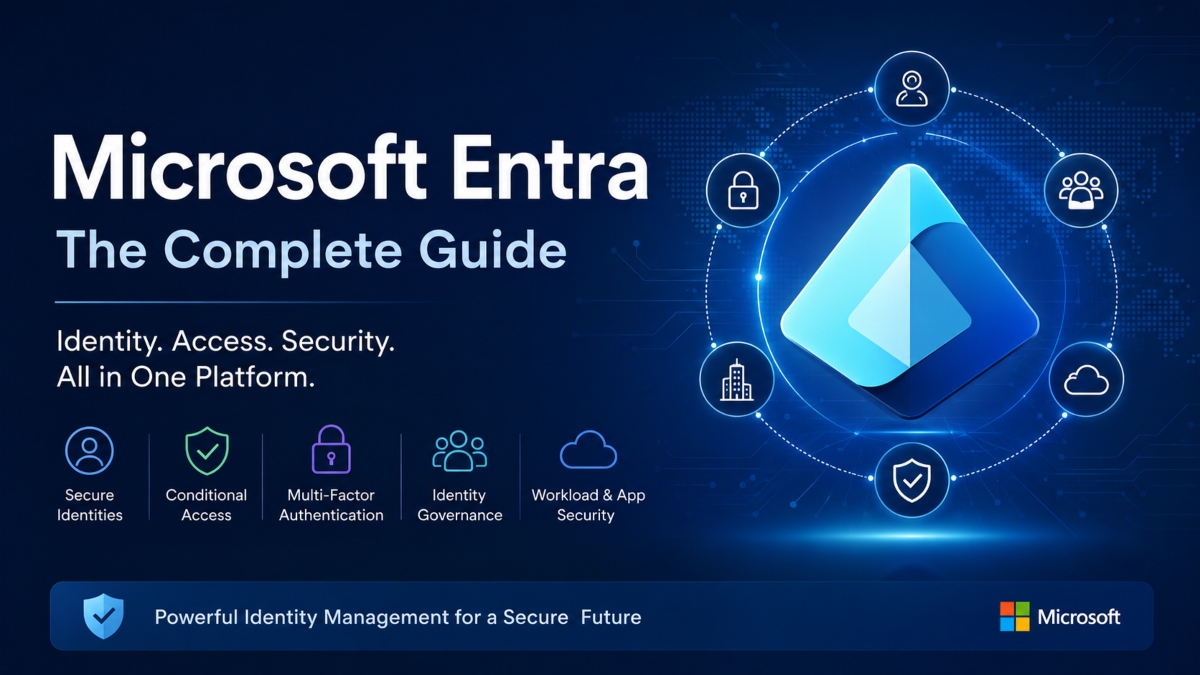
Microsoft Entra is Microsoft’s cloud based identity and access management platform that helps organizations control who can sign in, what resources they can use, and how access is protected. It gives businesses a central place to manage users, applications, devices, and security policies across cloud and hybrid environments. At the heart of the platform is Microsoft Entra ID, the core identity service responsible for authentication, authorization, and secure access management. Organizations rely on Microsoft Entra to strengthen security, support Zero Trust strategies, and simplify identity administration without slowing productivity. In this guide, you will learn what Microsoft Entra is, how its products work together, its standout features, the benefits it offers, and the business scenarios where it delivers the most value.
What Is Microsoft Entra?
Microsoft Entra is Microsoft’s cloud based identity and access management platform that helps organizations control how users sign in and what resources they can access. Instead of serving as only a user directory, it brings together identity verification, security policies, and access controls into one platform. This makes it easier for businesses to protect applications, data, and users while supporting modern workplace needs across cloud and hybrid environments.
What Microsoft Entra Means
Microsoft Entra is a family of identity and security services designed to manage digital identities for employees, customers, partners, and applications. It verifies user identities during sign in, decides whether access should be granted, and applies security rules before allowing access to resources. The platform also supports application identities and automated services, giving organizations a single place to manage both human and nonhuman identities.
Why Microsoft Created Microsoft Entra
As businesses adopted cloud services, remote work, and mobile devices, traditional identity systems became harder to manage and protect. Microsoft introduced Entra to give organizations a unified platform that supports secure authentication, user management, and access control across Microsoft services and third party applications. It also helps businesses apply consistent security policies without increasing administrative complexity.
How Microsoft Entra Fits Into Modern Cloud Security
Microsoft Entra plays a central role in modern cloud security by combining identity management with strong protection measures. It supports authentication to verify who a user is and authorization to determine what that user is allowed to access. Features such as Conditional Access, multi factor authentication, and identity protection help reduce unauthorized access while improving security. Microsoft Entra also supports Zero Trust security, where every sign in request is verified before access is granted. Whether an organization operates entirely in the cloud or uses a mix of cloud and on premises systems, Microsoft Entra provides a secure and consistent way to manage identities and control access across the entire environment.
Is Microsoft Entra the Same as Azure Active Directory?
Yes, but with an important distinction. Azure Active Directory was renamed Microsoft Entra ID as part of Microsoft’s broader identity and access management platform. The change reflects a wider vision that extends beyond a single directory service. While Microsoft Entra ID continues to perform the same core identity functions, it now sits within the Microsoft Entra family, which includes additional products focused on identity protection, governance, external identities, verified credentials, and secure network access.
Azure AD Renamed to Microsoft Entra ID
Microsoft announced the rebranding of Azure Active Directory to Microsoft Entra ID to create a clearer identity platform under one name. Existing capabilities such as user management, authentication, Single Sign On, Conditional Access, and role based access control remain available. Organizations using Azure Active Directory did not need to migrate to a new service because the change was primarily a new name rather than a replacement product.
Key Differences Between Azure AD and Microsoft Entra
The biggest difference is scope. Azure Active Directory referred mainly to Microsoft’s cloud identity service. Microsoft Entra represents the complete identity and access management portfolio. Microsoft Entra ID remains the core directory service, while other products expand the platform with features for identity governance, external user management, workload identities, internet access, private access, and digital credentials. This broader platform helps organizations manage identities and secure access across more users, applications, and environments from a unified ecosystem.
Does the Name Change Affect Existing Users?
For most organizations, the name change has very little impact on daily operations. Existing users, applications, security policies, integrations, and administrative settings continue to work as before. Licensing plans also remain familiar, with Microsoft Entra ID Free, P1, and P2 replacing the previous Azure Active Directory licensing names. Businesses can continue using their current integrations with Microsoft 365, Azure services, and supported third party applications without making major changes. The updated branding simply reflects Microsoft’s continued expansion of its identity platform while keeping the trusted capabilities that organizations already rely on.
What Is Microsoft Entra ID?
Microsoft Entra ID is the core identity service within the Microsoft Entra platform. It serves as the central directory that manages user identities, verifies sign in requests, and controls access to applications and resources. Businesses use Microsoft Entra ID to create a secure identity foundation for employees, contractors, partners, and applications across cloud and hybrid environments. By managing identities from one location, organizations can simplify administration while improving security and user experience.
Core Identity Service
Microsoft Entra ID functions as a cloud based directory service that stores user accounts, groups, devices, and application identities. It acts as the control center for identity management by allowing administrators to organize users, assign roles, and manage permissions from a single interface. The service integrates with Microsoft 365, Azure services, and thousands of third party applications, making it easier to provide secure access without maintaining separate identity systems for every platform.
Authentication and Authorization
Authentication and authorization are two of the most important functions of Microsoft Entra ID. Authentication verifies that a user is who they claim to be by checking credentials through methods such as passwords, multi factor authentication, or passwordless sign in. Once a user’s identity is confirmed, authorization determines which applications, files, or services that user is allowed to access. Security features such as Single Sign On allow users to sign in once and access multiple approved applications without repeated login prompts. Role based access control gives administrators precise control over permissions, ensuring users receive only the access required for their responsibilities.
Managing Users, Groups, and Applications
Microsoft Entra ID provides powerful tools for managing users, groups, devices, and enterprise applications. Administrators can organize users into groups, assign licenses, automate user provisioning, and manage application access from one location. The platform also supports device identity, allowing organizations to recognize trusted devices before granting access to business resources. For companies operating both cloud services and on premises infrastructure, hybrid identity support creates a consistent identity experience across both environments. Application management features simplify the process of connecting software, configuring secure access, and monitoring usage, helping IT teams maintain strong security while reducing administrative effort.
Microsoft Entra Products Explained
Microsoft Entra is more than a single identity service. It is a complete family of products that helps organizations manage identities, secure access, and protect users, applications, and digital resources. Each product focuses on a specific area of identity and access management, allowing businesses to build a security strategy that fits their needs.
Microsoft Entra ID
Microsoft Entra ID is the foundation of the entire platform. Its main purpose is to manage digital identities and control access to applications and resources. It provides directory services, Single Sign On, multi factor authentication, role based access control, and user and group management. It is used by organizations of every size that need secure identity management across Microsoft services and third party applications. The biggest business value comes from centralized identity management, stronger security, and a simpler sign in experience for users.
Microsoft Entra ID Protection
Microsoft Entra ID Protection focuses on identifying and responding to identity related risks. It continuously evaluates sign in activity and user behavior to detect suspicious events, compromised accounts, and unusual access attempts. Security teams and IT administrators commonly use this service to automate risk detection and apply security policies when threats are identified. This helps reduce the chance of unauthorized access while improving overall account security.
Microsoft Entra ID Governance
Microsoft Entra ID Governance helps organizations manage access throughout the entire user lifecycle. Its features include access reviews, entitlement management, approval workflows, and automated provisioning. It is especially useful for businesses with large workforces, contractors, and changing employee roles. The platform helps administrators confirm that users have appropriate permissions while reducing unnecessary or outdated access that could create security risks.
Microsoft Entra External ID
Microsoft Entra External ID is designed for customers, business partners, suppliers, and other external users who need secure access to applications and services. It supports flexible sign in options, identity federation, and customizable authentication experiences. Organizations that serve external audiences benefit from secure collaboration without creating separate identity systems. This improves user convenience while maintaining strong access controls.
Microsoft Entra Internet Access
Microsoft Entra Internet Access secures connections between users and internet based resources, including Software as a Service applications and Microsoft 365 services. It uses identity aware security policies to evaluate access requests before allowing connections. Organizations with remote employees or distributed workforces often use this service to strengthen protection for internet traffic. The result is more consistent security regardless of where users connect.
Microsoft Entra Private Access
Microsoft Entra Private Access provides secure connectivity to private business applications without relying on traditional virtual private networks. It uses identity based access controls to verify users before granting access to internal resources. Businesses with hybrid work environments frequently adopt this service because it offers secure access with a simpler user experience. It also supports Zero Trust security by checking every access request before approval.
Microsoft Entra Verified ID
Microsoft Entra Verified ID allows organizations to issue and verify digital credentials while giving users greater control over their personal information. It supports privacy focused identity verification for educational institutions, employers, financial organizations, and other businesses that require trusted digital credentials. This service helps simplify identity verification while reducing reliance on physical documents and manual validation processes.
Microsoft Entra Workload ID
Microsoft Entra Workload ID secures the identities used by applications, services, scripts, and automated workloads instead of human users. It manages permissions, protects credentials, and monitors access for software based identities running across cloud environments. Development teams and cloud administrators use this service to strengthen application security and reduce the risks associated with exposed credentials. By securing workload identities, organizations can protect critical systems while supporting modern cloud operations.
Key Features of Microsoft Entra
Microsoft Entra includes a wide range of features that help organizations protect identities, manage access, and strengthen security across cloud and hybrid environments. Rather than relying on a single layer of protection, the platform combines identity verification, intelligent access controls, continuous monitoring, and policy enforcement. This approach allows businesses to give users convenient access to resources while reducing security risks.
Single Sign On (SSO)
Single Sign On allows users to access multiple applications after signing in once. Instead of remembering separate usernames and passwords for every service, users authenticate through Microsoft Entra and gain access to approved business applications. This improves productivity, reduces password related support requests, and gives administrators centralized control over application access.
Conditional Access
Conditional Access helps organizations decide when access should be allowed based on specific conditions. Policies can evaluate factors such as user identity, location, device status, application, and sign in risk before granting access. Adaptive access makes these decisions more intelligent by adjusting security requirements according to the situation. For example, a trusted user signing in from a compliant device may experience a simple login process, while an unfamiliar sign in attempt may require additional verification.
Multi Factor Authentication
Multi factor authentication adds another layer of security by requiring users to verify their identity with more than a password. They may confirm their identity through an authentication application, a security key, or another approved method. This extra verification helps protect accounts even if passwords are exposed. Combined with risk based policies, multi factor authentication can be required only when unusual activity or higher risk is detected.
Passwordless Sign In
Passwordless sign in allows users to access applications without entering a traditional password. Instead, they can use methods such as Windows Hello, security keys, or the Microsoft Authenticator application. This reduces password fatigue, lowers the chance of credential theft, and creates a faster sign in experience without reducing security.
Identity Protection
Identity Protection continuously monitors sign in activity and user behavior to identify suspicious events. It can detect unusual login patterns, compromised credentials, and other identity related risks. Automated responses can block access, request additional verification, or notify administrators when threats are detected. Ongoing monitoring and detailed reporting also help security teams review activity, investigate incidents, and improve security policies over time.
Identity Governance
Identity Governance helps organizations manage access throughout the user lifecycle. It includes tools for access reviews, approval workflows, entitlement management, and automated provisioning. Administrators can confirm that users have appropriate permissions while removing outdated access that is no longer required. The platform also checks device compliance before granting access and supports session security by applying policies throughout an active user session. These capabilities help organizations maintain stronger security, satisfy compliance requirements, and keep access aligned with business needs.
Benefits of Microsoft Entra for Businesses
Microsoft Entra helps businesses strengthen security while making identity and access management easier to handle. By bringing users, devices, applications, and security policies into one platform, organizations can reduce complexity and maintain consistent protection across cloud and hybrid environments. Whether supporting a small team or a global workforce, Microsoft Entra offers practical advantages that improve daily operations and long term growth.
Stronger Identity Security
One of the biggest advantages of Microsoft Entra is stronger identity security. The platform uses features such as multi factor authentication, Conditional Access, passwordless sign in, and Identity Protection to verify users before granting access. Security policies can respond to changing conditions, helping prevent unauthorized access without creating unnecessary obstacles for legitimate users. This layered approach helps protect sensitive business data and reduces the risk of compromised accounts.
Simplified User Management
Managing users becomes much easier with Microsoft Entra because administrators can control identities, groups, roles, and application access from one central location. New employees can receive the appropriate permissions quickly, while departing staff can have access removed without manual work across multiple systems. Centralized identity management also reduces administrative workload by replacing separate identity solutions with a unified platform. Employees benefit from a smoother sign in experience through Single Sign On, allowing them to access approved applications with fewer login prompts.
Support for Hybrid Environments
Many organizations continue to use both cloud services and on premises infrastructure. Microsoft Entra supports these hybrid environments by connecting identities across both systems, allowing users to work with familiar credentials regardless of where applications are hosted. This flexibility helps businesses modernize at their own pace without disrupting existing operations. As organizations grow, Microsoft Entra can scale to support additional users, applications, and locations while maintaining consistent identity management.
Better Compliance and Auditing
Microsoft Entra includes tools that help organizations maintain compliance with internal policies and industry regulations. Access reviews, role management, activity logs, and detailed audit records give administrators greater visibility into who accessed business resources and when those actions occurred. These reporting capabilities simplify audits and support regulatory compliance by providing clear records of identity related activities. With built in governance features and centralized monitoring, businesses can maintain stronger security controls while giving users a reliable and consistent experience.
Common Microsoft Entra Use Cases
Microsoft Entra supports a wide range of business scenarios by helping organizations manage identities and control access across users, applications, and digital resources. From securing employee accounts to protecting internal applications, the platform gives businesses the tools they need to maintain strong security while supporting day to day operations. The following examples show how Microsoft Entra is commonly used in real business environments.
Securing Employee Access
Organizations use Microsoft Entra to give employees secure access to the applications they need for their daily work. For example, a company can allow staff to sign in once through Single Sign On and access Microsoft 365, customer relationship management software, and internal business applications without entering separate credentials. Multi factor authentication and Conditional Access policies help confirm user identities before access is granted, reducing the risk of unauthorized account access.
Managing External Users
Many businesses work closely with suppliers, contractors, consultants, and business partners who need limited access to company resources. Microsoft Entra External ID allows organizations to manage these external users without creating permanent employee accounts. For example, a manufacturing company can give a supplier access to a shared project portal while restricting access to confidential financial systems. This improves collaboration while maintaining clear access boundaries.
Protecting Private Applications
Businesses often have internal applications that should only be available to authorized users. Microsoft Entra Private Access helps secure these applications by verifying user identity before allowing connections. For example, a healthcare provider can give doctors secure access to patient management systems from approved devices while preventing unauthorized access from unknown locations. This approach improves security without relying on traditional remote access methods.
Supporting Zero Trust Security
Microsoft Entra plays an important role in Zero Trust security by checking every sign in request before granting access. Instead of automatically trusting users because they are connected to a company network, the platform evaluates identity, device status, location, and sign in risk. For example, if an employee attempts to access company data from an unfamiliar country or an unmanaged device, Microsoft Entra can require additional verification or block the request until it is confirmed as safe.
Managing Service and Application Identities
Not every identity belongs to a person. Many organizations rely on applications, automated services, and cloud workloads that also need secure access to business resources. Microsoft Entra Workload ID helps manage these service identities by controlling permissions and protecting credentials. For example, an ecommerce company can allow an inventory management application to connect securely with cloud databases while limiting access to only the resources required for its tasks. This reduces security risks and helps protect critical business systems.
Microsoft Entra vs Other Identity Management Solutions
Choosing an identity and access management platform depends on an organization’s size, existing technology, security requirements, and budget. Microsoft Entra, Okta, and Google Cloud Identity all provide identity management and secure access features, but each platform serves different business needs. Comparing their strengths helps organizations select the option that fits their environment.
Microsoft Entra vs Okta
Microsoft Entra and Okta both offer cloud based identity management with features such as Single Sign On, multi factor authentication, and user lifecycle management. Microsoft Entra stands out for organizations already using Microsoft 365, Azure, and other Microsoft services because these products work together with minimal configuration. Okta is often chosen by businesses that use a wide mix of third party applications and want a platform built around broad integration across different technology ecosystems. Both platforms provide strong security controls, but Microsoft Entra includes additional capabilities for identity governance, workload identities, and secure network access within the same product family.
Microsoft Entra vs Google Cloud Identity
Google Cloud Identity is designed to work closely with Google Workspace and Google Cloud services. It offers user management, authentication, and device management for organizations that rely on Google’s ecosystem. Microsoft Entra provides similar identity services while supporting a broader range of Microsoft business applications, hybrid environments, and enterprise security features. Organizations that operate both cloud and on premises infrastructure often find Microsoft Entra better suited for managing identities across different environments, while Google Cloud Identity is a natural choice for businesses built around Google services.
Which Solution Is Best?
There is no single solution that fits every organization. Microsoft Entra is often the strongest option for businesses that depend on Microsoft 365, Azure, Windows devices, and hybrid infrastructure. Okta works well for organizations that want broad compatibility with many software platforms and cloud services. Google Cloud Identity is a practical choice for companies that use Google Workspace as their primary productivity platform.
When comparing these solutions, businesses should evaluate identity management capabilities, security features, integration with existing systems, pricing models, and long term growth plans. Selecting a platform that fits current requirements while supporting future expansion can reduce administrative effort, improve security, and provide a better experience for both users and administrators.
Who Should Use Microsoft Entra?
Microsoft Entra is designed for organizations of all sizes that want a secure and reliable way to manage digital identities and control access to applications and business resources. Its flexible features allow businesses to start with basic identity management and expand security capabilities as their needs grow. Whether an organization has a few employees or thousands of users across multiple locations, Microsoft Entra can support changing business requirements.
Small Businesses
Small businesses can use Microsoft Entra to simplify user management and improve account security without investing in complex infrastructure. Features such as Single Sign On, multi factor authentication, and centralized identity management help protect business applications while making daily access easier for employees. This allows smaller teams to spend less time managing accounts and more time focusing on business operations.
Mid Sized Companies
As companies grow, managing employees, departments, and business applications becomes more demanding. Microsoft Entra helps mid sized organizations organize users, assign roles, control application access, and apply consistent security policies across the business. It also supports hybrid environments, making it easier to connect cloud services with existing on premises systems during expansion.
Large Enterprises
Large enterprises often manage thousands of users, devices, and applications across multiple offices and regions. Microsoft Entra provides the scalability needed to support these complex environments while maintaining strong security controls. Advanced features such as Identity Governance, Conditional Access, and workload identity management help large organizations protect sensitive resources, manage user lifecycles, and satisfy compliance requirements.
Organizations Using Microsoft 365
Businesses that already use Microsoft 365 can gain additional value from Microsoft Entra because the services work together seamlessly. Administrators can manage user identities, application access, and security policies from a central platform while employees enjoy a consistent sign in experience across Microsoft applications. This close integration simplifies administration, strengthens security, and helps organizations get more from their existing Microsoft technology investments.
Getting Started With Microsoft Entra
Getting started with Microsoft Entra is a straightforward process for organizations that want to improve identity management and strengthen access security. Whether you are setting up a new environment or expanding an existing Microsoft ecosystem, the platform provides the tools needed to manage users, applications, and security from one place. Following a structured setup process helps build a secure foundation for future growth.
Create a Microsoft Entra Tenant
The first step is creating a Microsoft Entra tenant, which serves as the dedicated identity environment for your organization. The tenant stores user accounts, groups, applications, and security settings in one centralized location. During setup, administrators can choose the appropriate subscription and configure basic organizational information before adding users and services.
Configure Users and Groups
Once the tenant is ready, administrators can create user accounts, organize employees into groups, and assign roles based on job responsibilities. Groups make it easier to manage permissions for departments or project teams, while role based access control helps ensure users receive only the access required for their work. Businesses can also connect on premises directories to support hybrid identity if needed.
Set Up Security Policies
After users are added, the next step is configuring security policies that protect business resources. Organizations can enable multi factor authentication, create Conditional Access policies, and define passwordless sign in options for approved users. Identity Protection, access reviews, and monitoring features can also be configured to strengthen security and support ongoing account management.
Learn Using Microsoft Documentation
Microsoft provides extensive documentation, tutorials, and learning resources for Microsoft Entra through Microsoft Learn. These guides cover everything from basic setup to advanced identity management, governance, and security features. Regularly reviewing the documentation helps administrators stay informed about new capabilities, recommended practices, and product updates, making it easier to manage Microsoft Entra with confidence.
Final Thoughts
Microsoft Entra is a complete identity and access management platform that helps organizations protect users, applications, and business resources across cloud and hybrid environments. By bringing identity management, authentication, authorization, and security controls into one platform, it gives businesses a reliable way to manage access while reducing security risks.
The Microsoft Entra family includes services for identity protection, governance, external identities, secure network access, verified credentials, and workload identities. Together, these products help organizations strengthen security, simplify administration, support regulatory requirements, and provide employees with a smoother sign in experience.
At the center of the platform is Microsoft Entra ID, which remains the foundation for managing digital identities and controlling access to applications and services. It supports essential capabilities such as Single Sign On, multi factor authentication, role based access control, and hybrid identity, making it the starting point for most Microsoft Entra deployments.
Whether you run a small business, a growing company, or a large enterprise, Microsoft Entra provides the flexibility and scalability needed to support modern identity management. As organizations continue adopting cloud services and remote work, Microsoft Entra offers a practical solution for securing access while keeping user management efficient and organized.
Frequently Asked Questions
What is Microsoft Entra used for?
Microsoft Entra is used to manage digital identities and control access to business applications, data, and services. It verifies user identities during sign in, applies security policies, and grants access only to approved resources. Organizations use Microsoft Entra to manage employees, partners, customers, devices, and applications from a centralized platform. It also supports features such as Single Sign On, multi factor authentication, Conditional Access, and identity governance to strengthen security while improving the user experience.
Is Microsoft Entra the same as Azure Active Directory?
Not exactly. Azure Active Directory was renamed Microsoft Entra ID, but Microsoft Entra is now the name of the broader identity and access management platform. Microsoft Entra ID continues to provide the same core identity services that Azure Active Directory offered, while the Microsoft Entra family also includes products for identity protection, governance, external identities, workload identities, and secure network access.
What is the difference between Microsoft Entra and Microsoft Entra ID?
Microsoft Entra refers to the complete collection of identity and security products offered by Microsoft. Microsoft Entra ID is one product within that collection and serves as the central identity directory. It handles user authentication, authorization, user management, and application access. Other Microsoft Entra services build on this foundation by adding features for governance, identity protection, verified credentials, and secure access.
Is Microsoft Entra free?
Microsoft Entra ID includes a free edition that provides core identity management features such as user and group management, Single Sign On, and basic security capabilities. Organizations that require advanced features such as Conditional Access, Identity Governance, or advanced identity protection can choose paid plans that provide additional security and administrative tools.
Who should use Microsoft Entra?
Microsoft Entra is suitable for businesses of all sizes, educational institutions, government organizations, and nonprofit groups that need secure identity management. It is especially valuable for organizations using Microsoft 365, Azure, or hybrid environments because it integrates closely with these services while supporting many third party applications.
What security features does Microsoft Entra provide?
Microsoft Entra includes several security features that help protect user accounts and business resources. These include multi factor authentication, passwordless sign in, Conditional Access, Identity Protection, role based access control, Single Sign On, access reviews, activity monitoring, and detailed reporting. Together, these features help reduce unauthorized access and improve visibility into identity related activity.
Can Microsoft Entra manage external users?
Yes. Microsoft Entra includes Microsoft Entra External ID, which allows organizations to manage customers, suppliers, contractors, and business partners securely. Administrators can control what external users can access while maintaining separate permissions from internal employees. This makes collaboration easier without reducing security.
Does Microsoft Entra support hybrid environments?
Yes. Microsoft Entra is designed to support both cloud and on premises environments. Organizations can connect existing directories with cloud services to create a consistent identity experience across their infrastructure. This allows employees to use the same credentials for approved applications regardless of where those applications are hosted, simplifying identity management while maintaining strong security.
Read More: Is Monstera Plant Toxic to Cats?
