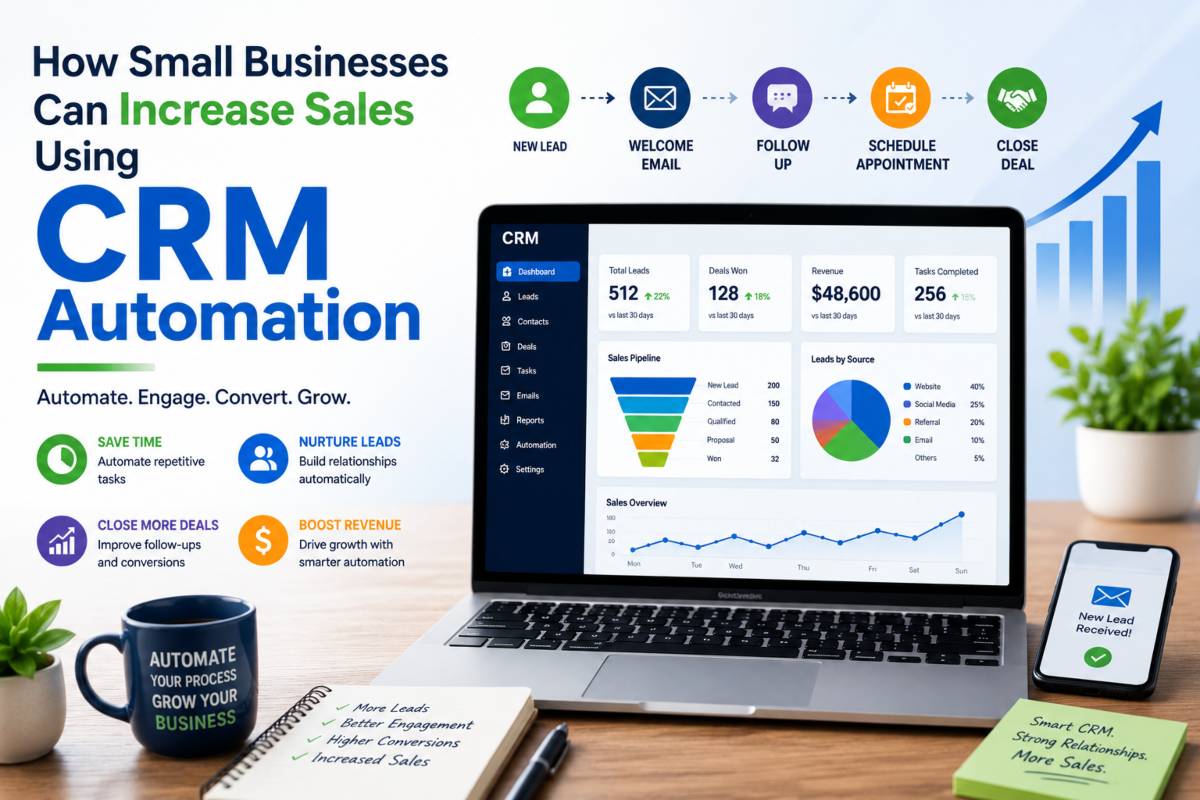
Many small businesses struggle to keep up with leads, customer inquiries, and follow up tasks. As the number of prospects grows, it becomes harder to respond quickly and stay organized. Missed messages, delayed responses, and inconsistent communication can cost valuable sales opportunities.
This is where CRM automation can make a real difference. Instead of spending hours on routine tasks, businesses can automate lead tracking, follow ups, appointment reminders, and customer communication. The result is a smoother sales process that saves time and helps teams focus on conversations that generate revenue.
The numbers show why more businesses are adopting this approach. Companies using CRM systems report an average sales increase of 29 percent, while some have achieved revenue growth of up to 245 percent. Many CRM users also reach or exceed their sales goals more often than businesses that rely on manual processes.
In this guide, you will learn how CRM automation helps convert more leads, strengthen customer relationships, and create a sales system that works around the clock. We will also cover practical automation strategies that small businesses can start using right away to drive consistent growth.
What Is CRM Automation and Why Does It Matter for Small Businesses?
CRM automation uses software to handle repetitive sales and customer management tasks without constant manual effort. It helps businesses stay connected with leads and customers while keeping important information organized and easy to access.
What CRM Automation Actually Does
A CRM automation system can take care of routine activities such as sending follow up emails, assigning leads to team members, scheduling reminders, and updating customer records. Instead of switching between spreadsheets, emails, and notes, businesses can keep all customer information in one central location.
CRM automation can also respond to customer actions automatically. For example, when a visitor fills out a contact form, the system can send a welcome email, notify a sales representative, and schedule the next follow up step. This keeps leads moving through the sales process without delays.
Why Small Businesses Benefit the Most
Small businesses often operate with limited staff and resources. Team members may handle sales, customer service, and marketing at the same time. CRM automation reduces the workload by handling routine tasks in the background.
With less time spent on administration, business owners and sales teams can focus on building relationships and closing deals. Automation also creates a more organized process, helping every lead receive consistent communication and attention.
CRM Automation by the Numbers
The results speak for themselves. Businesses using CRM systems report an average sales increase of 29 percent. Sales productivity improves by 34 percent, allowing teams to accomplish more in less time. Research also shows that companies earn an average return of $8.71 for every $1 invested in CRM technology. Today, 76 percent of businesses use sales automation to improve efficiency, strengthen customer relationships, and drive revenue growth.
How CRM Automation Increases Sales
Sales growth often comes down to one simple factor: staying connected with prospects at the right time. CRM automation helps small businesses do this consistently without adding more work to their daily schedule. By automating key parts of the sales process, businesses can respond faster, nurture leads more efficiently, and focus their attention on customers who are most likely to buy.
Faster Lead Response Times
Speed matters when a potential customer reaches out. A delayed response can give competitors the chance to win the sale. CRM automation allows businesses to respond within minutes through automated emails, text messages, or notifications.
When leads receive an immediate reply, they know their inquiry has been received and that someone will follow up soon. This quick communication helps build trust from the start and reduces the risk of missed opportunities.
Consistent Follow Up Without Manual Work
Many sales are lost because leads are forgotten or follow ups are delayed. CRM automation keeps communication moving by sending scheduled messages at the right time.
Whether it is a welcome email, a customer success story, or a reminder to schedule a call, the system can handle multiple touchpoints automatically. This keeps prospects engaged throughout the buying journey and reduces lead leakage that often occurs when follow ups depend entirely on manual effort.
Better Lead Qualification and Prioritization
Not every lead is ready to make a purchase immediately. CRM automation helps businesses identify which prospects deserve the most attention by scoring and categorizing leads based on their actions.
For example, someone who opens emails, visits pricing pages, and requests information may receive a higher score than a casual website visitor. This allows sales teams to focus their time on buyers who are closer to making a decision.
Personalized Customer Communication at Scale
Customers expect communication that feels relevant to their needs. CRM automation makes this possible by using customer history, preferences, and behavior to trigger personalized messages.
A customer who recently purchased a product may receive helpful tips or related recommendations, while a new lead may receive educational content. This level of personalization helps create stronger relationships and improves engagement.
More Time Spent Selling
Administrative work can consume a large portion of the workday. Entering data, sending reminders, and updating records may be necessary, but they do not generate revenue directly.
CRM automation handles many of these routine tasks automatically, giving sales teams more time to focus on conversations, meetings, and opportunities that move deals forward. The result is a more productive sales process and a greater chance of increasing revenue.
10 CRM Automation Strategies That Drive More Sales
CRM automation is most valuable when it supports the right sales activities. Instead of spending hours on repetitive tasks, businesses can create automated workflows that keep leads engaged, strengthen customer relationships, and increase conversions. The following strategies are among the most effective ways to turn CRM automation into a reliable sales growth engine.
1. Instant Lead Response Automation
The first few minutes after a lead submits a form are often the most important. Interest is highest at that moment, which makes a fast response critical.
An automated workflow can trigger as soon as a visitor completes a website form. The system can send a welcome email, thank the prospect for reaching out, and provide information about the next steps. It can also include a booking link that allows the lead to schedule a call or consultation immediately.
Adding an expected response timeline helps set clear expectations and builds trust from the beginning.
2. Automated Lead Nurture Campaigns
Many prospects are not ready to buy right away. Automated lead nurture campaigns keep your business in front of them until they are ready to make a decision.
A simple nurture sequence might look like this:
Day 1: Introduction email with useful information
Day 3: Customer success story
Day 5: Answers to common questions and concerns
Day 7: Consultation or demo reminder
Day 10: Special offer with a clear call to action
Consistent communication keeps leads engaged and can lead to much higher conversion rates compared to a single follow up attempt.
3. Appointment Booking and Reminder Workflows
Scheduling appointments manually can create unnecessary delays and missed opportunities. CRM automation simplifies the process from start to finish.
When a prospect books an appointment, the CRM can instantly send a confirmation email and add the event to the calendar. Reminder messages can then be sent at scheduled times before the meeting.
These reminders help reduce no shows and increase the likelihood that appointments turn into sales conversations.
4. Automated Follow Up Messaging
Following up consistently is one of the biggest challenges for many small businesses. CRM automation removes the need to remember every interaction manually.
Automated email campaigns can be triggered after inquiries, downloads, consultations, or purchases. SMS messages can also be used for quick reminders and updates.
Using both email and text messaging creates a multi channel communication strategy that keeps prospects connected without overwhelming your team.
5. Post Purchase Follow Up Sequences
The customer journey does not end after a sale. Post purchase communication helps improve customer satisfaction and encourages repeat business.
A CRM can automatically send onboarding information, setup instructions, or educational resources after a purchase. It can also schedule follow up messages to answer common questions and provide additional support.
These touchpoints help customers get more value from their purchase while building long term loyalty.
6. Upselling and Cross Selling Automation
Existing customers are often easier to sell to than new prospects. CRM automation can identify opportunities to recommend additional products or services based on previous purchases.
For example, a customer who purchases one service may receive recommendations for related solutions a few weeks later. Product suggestions can be tailored according to customer preferences and buying history.
This approach increases customer value while creating additional revenue opportunities.
7. Cold Lead Reactivation Campaigns
Not every lead converts on the first attempt. Some prospects simply need more time before they are ready to move forward.
CRM automation can identify leads that have been inactive for a specific period and place them into a reactivation campaign. These campaigns may include a friendly check in email, a promotional offer, or a message asking whether the prospect is still interested.
Reactivating old leads can generate new opportunities without increasing advertising costs.
8. Contact Tagging and Segmentation
Sending the same message to every contact rarely produces the best results. CRM automation helps businesses organize contacts into meaningful groups.
Tags can be assigned based on interests, lead sources, products viewed, or services requested. Contacts can also be segmented according to customer behavior and engagement levels.
This organization allows businesses to deliver more relevant messages that match the needs of each audience segment.
9. Review and Referral Request Automation
Customer reviews and referrals can influence purchasing decisions and attract new business. CRM automation makes it easier to collect both.
After a customer has had enough time to experience a product or service, the system can send a review request automatically. Direct links make the process simple and convenient.
Referral requests can also be included in follow up campaigns. Offering a small incentive can encourage satisfied customers to recommend your business to others.
Over time, these automated requests can strengthen your reputation and bring in additional leads.
10. Pipeline and Task Automation
Managing a sales pipeline becomes more difficult as lead volume grows. CRM automation keeps everything organized by creating tasks and updating records automatically.
When a lead moves to a new stage, the system can assign tasks to team members, schedule follow ups, and update deal statuses. This keeps opportunities moving forward without requiring constant manual oversight.
Automated pipeline management helps ensure that no lead is overlooked and that every prospect receives attention at the right time.
By implementing these CRM automation strategies, small businesses can create a more efficient sales process, improve customer engagement, and generate more revenue without adding extra workload to their teams.
Real CRM Automation Results Small Businesses Can Expect
CRM automation is not just about saving time. It can create measurable improvements across sales, productivity, and customer engagement. When routine tasks are handled automatically, businesses can focus on activities that generate revenue and strengthen customer relationships.
Revenue Growth Statistics
One of the biggest reasons small businesses invest in CRM automation is its ability to increase sales. Research shows that businesses using CRM systems experience an average sales increase of 29 percent. Some companies have reported revenue growth of up to 245 percent after implementing effective CRM and sales automation processes.
These results often come from faster lead response times, better follow up consistency, and improved customer management throughout the sales journey.
Productivity Improvements
CRM automation helps teams accomplish more without increasing their workload. Studies show that sales productivity can improve by 34 percent when automation is used to manage routine tasks.
Many small business owners also report significant time savings. Automated workflows can save between 4 and 10 hours every week by handling activities such as lead tracking, appointment reminders, data entry, and follow up communication. This extra time can be redirected toward sales conversations, customer service, and business growth.
Higher Conversion Rates
Converting leads into paying customers becomes easier when communication happens at the right time. Automated lead nurture campaigns help keep prospects engaged throughout the buying process.
Businesses using structured CRM automation workflows have seen lead conversion rates increase by as much as 300 percent. Consistent communication, personalized messaging, and timely follow ups all contribute to stronger conversion performance.
Shorter Sales Cycles
A long sales cycle can slow business growth and reduce efficiency. CRM automation helps move prospects through the pipeline faster by triggering actions automatically and ensuring no opportunities are missed.
Research shows that businesses using sales automation can shorten their sales cycle by up to 18 percent. Faster responses, better organization, and automated reminders help prospects make decisions sooner and keep deals moving forward.
CRM Automation ROI Metrics
| Metric | Average Result |
|---|---|
| Sales Revenue Growth | 29% Increase |
| Maximum Reported Revenue Growth | Up to 245% |
| Sales Productivity Improvement | 34% Increase |
| Lead Conversion Improvement | Up to 300% |
| Sales Cycle Reduction | Up to 18% Faster |
| Return on Investment | $8.71 for Every $1 Invested |
| Weekly Time Saved | 4 to 10 Hours |
| Businesses Using Sales Automation | 76% |
For small businesses looking to grow without adding significant overhead, these numbers show why CRM automation has become a core part of modern sales operations. The combination of stronger sales performance, improved efficiency, and higher conversion rates can create lasting results across the entire business.
CRM Automation Best Practices for Small Businesses
CRM automation can deliver impressive results, but success depends on how it is implemented. A well planned approach helps businesses improve efficiency, strengthen customer relationships, and increase sales without creating unnecessary complexity. The following best practices can help small businesses get the most value from their CRM automation efforts.
Centralize Customer Information
One of the biggest advantages of a CRM system is having all customer information in a single location. Instead of searching through spreadsheets, emails, and notes, teams can access everything they need from one platform.
This includes contact details, purchase history, support requests, and previous interactions. When customer information is organized and easy to find, sales and support teams can provide a better experience and make informed decisions more quickly.
A centralized system also reduces the risk of duplicate records and missing information, helping businesses maintain accurate customer data.
Map Your Sales Funnel First
Before creating automated workflows, it is important to understand how leads move through your sales process. Mapping your sales funnel helps identify each stage from initial contact to final purchase.
Review your current process and look for areas where leads slow down or drop out completely. These bottlenecks often reveal the best opportunities for automation.
For example, if prospects frequently wait several days for a response, an automated lead response workflow can solve the problem immediately. A clear sales funnel provides the foundation for successful CRM automation.
Start With One or Two Workflows
Many businesses try to automate everything at once and end up creating unnecessary confusion. A better approach is to start with one or two workflows that can deliver quick results.
Lead follow up automation and appointment reminders are often excellent starting points because they are simple to implement and can produce noticeable improvements quickly.
Once those workflows are performing well, additional automations can be added gradually. This step by step approach makes it easier to monitor results and make improvements when needed.
Use Segmentation for Better Targeting
Not every customer has the same needs or interests. Segmentation allows businesses to organize contacts into groups and send more relevant messages.
Contacts can be segmented by lead source, industry, service interest, purchase intent, or engagement level. For example, a prospect interested in consulting services should receive different communication than a customer who has already made a purchase.
Better targeting improves engagement and helps customers receive information that matches their situation.
Connect CRM With Other Business Tools
CRM automation becomes more powerful when it works alongside other business systems. Integrating your CRM with email marketing platforms, analytics tools, and social media channels creates a smoother flow of information across your organization.
These connections allow businesses to track customer activity more accurately and create automated workflows based on real customer behavior. The result is a more connected and efficient sales and marketing process.
Train Your Team Properly
Even the best CRM system will struggle to deliver results if employees do not use it correctly. Proper training helps ensure that everyone follows the same processes and enters information consistently.
Team members should understand how workflows operate, when to update records, and how to use customer data during sales conversations. Regular training sessions and system reviews can improve adoption and help teams get the full benefit of CRM automation.
When customer data is accurate and workflows are used consistently, businesses can build a reliable sales process that supports long term growth.
Common CRM Automation Mistakes That Hurt Sales
CRM automation can improve efficiency and increase revenue, but only when it is used correctly. Poor planning and weak execution can create problems that frustrate customers and reduce sales opportunities. Understanding the most common mistakes can help small businesses build automation workflows that support growth instead of slowing it down.
Automating Too Much Too Soon
One of the biggest mistakes businesses make is trying to automate every process immediately. While automation can save time, adding too many workflows at once can make systems difficult to manage and troubleshoot.
A better approach is to start with a few high impact automations, such as lead follow ups or appointment reminders. Once those workflows are running smoothly, additional processes can be added over time.
It is also important to monitor results regularly. Tracking performance helps identify what is working and where improvements are needed.
Sending Generic Messages
Automation should not make communication feel robotic. Customers are more likely to engage with messages that feel relevant and personal.
Generic emails that are sent to every contact often receive lower engagement and can reduce trust. Instead, use customer information such as interests, purchase history, and previous interactions to create more meaningful communication.
Even simple personalization, such as using a customer’s name or referring to a recent action, can make a significant difference.
Ignoring Performance Metrics
Many businesses set up automation workflows and assume they will continue producing results forever. Without tracking performance, it becomes difficult to know whether a campaign is helping or hurting sales.
Important metrics to monitor include open rates, click rates, and reply rates. These numbers provide valuable feedback about customer engagement and message effectiveness.
Regular analysis helps businesses identify weak areas and improve campaign performance over time.
Forgetting to Update Workflows
Customer preferences change, products evolve, and marketing messages can become outdated. Automation workflows should not be treated as a one time project.
Review workflows at least once every quarter to ensure they remain relevant. Update messaging, remove outdated offers, and check that all links and triggers are functioning correctly.
Small updates can keep campaigns fresh and improve customer engagement.
Poor Contact Segmentation
Sending the same message to every contact rarely produces the best results. Different customers have different interests, needs, and buying intentions.
Proper segmentation allows businesses to group contacts based on factors such as lead source, industry, engagement level, or purchase intent. This makes it easier to send content that matches each audience’s needs.
When messages are relevant, customers are more likely to open, read, and respond. Better segmentation often leads to stronger engagement, higher conversion rates, and improved sales performance.
Choosing the Right CRM Automation Platform
Not all CRM platforms offer the same features, flexibility, or ease of use. Choosing the right solution can have a major effect on how efficiently your team manages leads, nurtures customers, and grows sales. The best platform is not always the one with the most features. It is the one that fits your business needs and supports your growth goals.
Features Every Small Business Should Look For
A strong CRM automation platform should include an automation builder that allows you to create workflows without needing technical expertise. This feature makes it easier to automate follow ups, lead nurturing, appointment reminders, and other routine tasks.
Contact management is another essential feature. Your CRM should store customer details, communication history, purchase records, and notes in one place so your team always has access to accurate information.
Reporting tools are equally important. Clear reports help you measure sales performance, track lead activity, and identify opportunities for improvement.
Finally, look for a platform that supports integrations with the tools you already use. Connections with email marketing software, analytics platforms, calendars, and social media tools can improve efficiency and reduce manual work.
Questions to Ask Before Buying
Before selecting a CRM platform, take time to evaluate your business requirements. Start by considering your budget and how much you can realistically invest each month.
Think about your team size as well. A solution that works for a solo business owner may not meet the needs of a growing sales team.
It is also important to consider your long term growth plans. Choose a platform that can support additional users, more contacts, and more advanced automation as your business expands.
Signs You Have Found the Right Solution
The right CRM platform should be easy to set up and simple for your team to use. If the system feels overly complicated from the beginning, adoption may become a challenge.
Look for software that offers scalable workflows so you can add more automation as your business grows. Flexibility is important because your sales process will likely change over time.
Strong customer support is another positive sign. Reliable support resources, training materials, and responsive assistance can help you solve problems quickly and get more value from your investment.
When a CRM platform is easy to use, flexible enough to grow with your business, and backed by dependable support, it becomes a valuable tool for increasing efficiency, improving customer relationships, and driving sales growth.
Final Thoughts
CRM automation gives small businesses a practical way to increase sales without adding more hours to the workday. By automating tasks such as lead follow ups, appointment reminders, customer communication, and pipeline management, businesses can create a more organized and efficient sales process.
The benefits go beyond saving time. CRM automation helps businesses respond to leads faster, improve conversion rates, strengthen customer relationships, and create more opportunities for repeat purchases. It also allows sales teams to spend less time on administrative work and more time building relationships with prospects and customers.
The good news is that you do not need to automate everything at once. Many businesses see strong results by starting with a single workflow, such as instant lead response automation or automated follow up sequences. Once that process is running smoothly, additional workflows can be added over time.
If you are ready to improve sales performance, start by reviewing your current sales process and identifying one repetitive task that consumes valuable time. Automate that task first, measure the results, and build from there. Small improvements made consistently can create meaningful growth and help your business operate more efficiently as it expands.
Read More: AI-Powered Business Automation Strategies for Faster Growth
