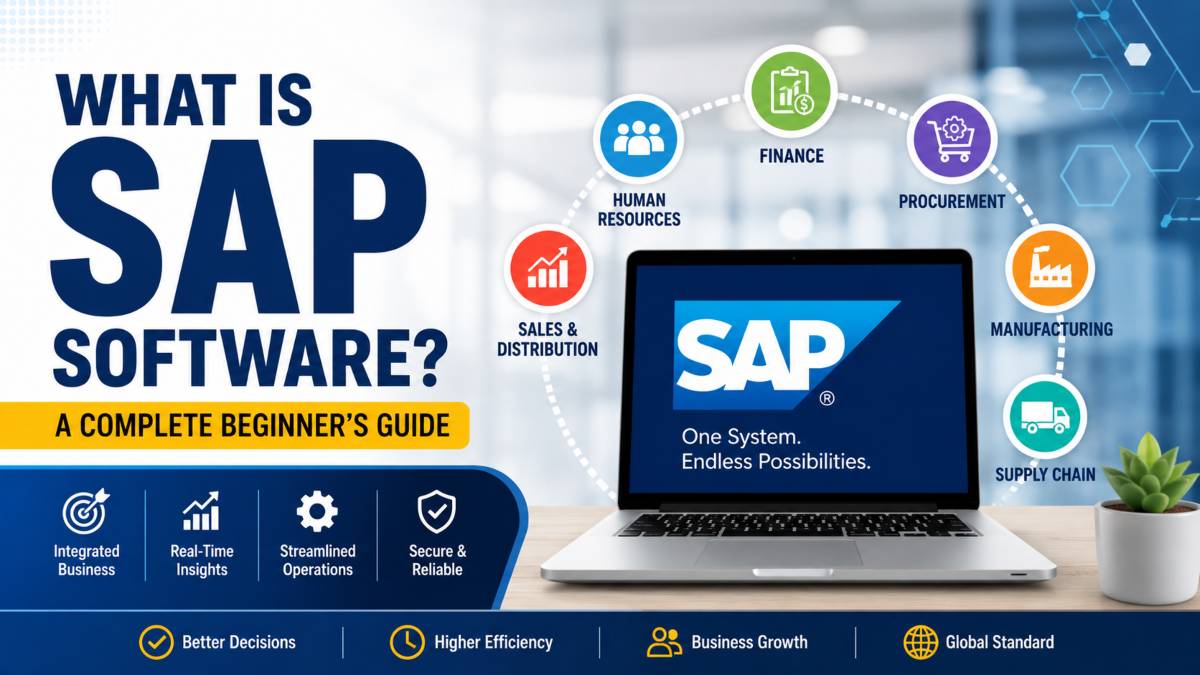
SAP software is one of the most widely used business management systems in the world. It helps companies bring together important business activities into one connected platform, making it easier to manage daily operations from a single place. SAP stands for Systems, Applications, and Products in Data Processing. It is developed by SAP SE, a global software company known for enterprise business solutions.
At its core, SAP is an Enterprise Resource Planning, or ERP, system. An ERP system connects departments such as finance, human resources, sales, purchasing, manufacturing, and supply chain management. Instead of using separate applications for each department, businesses can access shared data through one system, which improves accuracy and keeps information current.
Companies of every size use SAP to organize workflows, automate routine tasks, monitor performance, and support smarter business decisions. Whether you run a growing business or work for a large enterprise, SAP can help simplify complex operations.
In this guide, you will learn what SAP software is, how it works, its main modules, popular SAP products, key benefits, common business uses, and how to decide whether it is the right ERP solution for your organization.
What Is SAP Software?
SAP software is a collection of enterprise applications that help businesses manage their daily operations through one connected system. Instead of relying on separate tools for accounting, sales, inventory, human resources, and production, companies can use SAP to keep everything in one place. Since all departments share the same information, teams can work with accurate and current data, reducing duplicate records and manual work.
What Does SAP Stand For?
SAP stands for Systems, Applications, and Products in Data Processing. The name reflects the software’s purpose of helping organizations organize, process, and manage business information across multiple departments. Over the years, SAP has become one of the most recognized names in enterprise resource planning, commonly known as ERP.
Is SAP a Software or a Company?
SAP is both a software platform and the name of the company that develops it. SAP SE is a global software company founded in Germany that specializes in enterprise business solutions. Its products are used by organizations across industries such as manufacturing, retail, healthcare, finance, logistics, and the public sector. The company continues to expand its portfolio with cloud based applications and business management tools for companies of different sizes.
What Makes SAP Different from Regular Business Software?
Unlike traditional business applications that focus on a single task, SAP brings multiple business functions together through one centralized platform. Finance, purchasing, sales, customer management, production, and human resources all work from the same database. When information is updated in one department, it becomes available across the system almost instantly. This connected structure helps businesses improve collaboration, automate routine processes, generate accurate reports, and make informed decisions using real time business data.
What Is SAP ERP?
SAP ERP is an Enterprise Resource Planning system that helps businesses manage their core operations through one connected platform. Instead of using separate applications for accounting, sales, inventory, purchasing, and human resources, SAP ERP brings these functions together so they can share the same information. This connected approach helps organizations reduce manual work, improve accuracy, and keep every department working with current business data.
What Does ERP Mean?
ERP stands for Enterprise Resource Planning. It refers to software that manages the most important activities within a business. These activities include finance, procurement, manufacturing, sales, customer service, human resources, and supply chain management. Rather than storing information in isolated systems, an ERP solution keeps everything in one place. Employees can access the data they need without switching between multiple applications, making everyday work faster and more organized.
How SAP ERP Connects Every Department
SAP ERP connects departments through a shared database where information is stored only once and updated automatically. For example, when a customer places an order, the sales team records the transaction in SAP. The inventory team immediately sees stock levels, the finance department receives the billing information, and production can prepare for manufacturing if additional products are needed. Since every department works from the same source of information, errors caused by duplicate data are reduced.
This connected workflow supports better business process management by keeping operations synchronized from start to finish. Managers can monitor business performance using real time reports, while employees have access to accurate information that helps them complete tasks with greater confidence. As a result, SAP ERP supports smoother collaboration across the entire organization.
How Does SAP Software Work?
SAP software works by bringing business information from different departments into one connected system. Instead of storing data in separate applications, SAP allows every department to access the same information whenever it is needed. This helps employees complete tasks faster, keeps records accurate, and allows managers to monitor business activities from a single platform. Whether a company handles sales, manufacturing, finance, or human resources, SAP keeps every process connected from beginning to end.
Centralized Database
One of the biggest strengths of SAP software is its centralized database. Modern SAP systems, including SAP S/4HANA, use SAP HANA, an advanced in memory database designed to process large amounts of information quickly. Since all departments use the same database, data is entered once and becomes available throughout the organization. This improves data sharing, reduces duplicate records, and helps maintain consistency across business operations.
Modular Architecture
SAP uses a modular architecture, allowing businesses to select only the applications they need. A company may begin with finance and accounting, then later add sales, inventory, purchasing, manufacturing, or human resources as its needs grow. Although each module focuses on a specific business function, every module works together through the same system, creating a smooth flow of information across the organization.
Real Time Data Processing
Whenever a transaction takes place, SAP updates related information almost immediately. For example, when a customer places an order, inventory levels are adjusted, financial records are updated, and warehouse teams receive the latest order details. This real time processing supports workflow synchronization and reduces delays caused by manual updates. Employees always have access to current information, helping them respond quickly to changing business needs.
Cloud, On Premise, and Hybrid Deployment
SAP software can be deployed in different ways depending on business requirements. Cloud deployment allows users to access SAP through the internet from almost any location. On premise deployment stores the software and data on a company’s own servers, giving greater control over infrastructure. A hybrid approach combines both options, allowing businesses to balance flexibility, performance, and security while giving authorized users reliable access to the system.
Customization and Business Extensions
Every business operates differently, so SAP allows organizations to customize workflows, user permissions, reports, and business rules without changing the core software. Companies can also build additional applications and extensions that connect with SAP to automate repetitive tasks and support unique business processes. This flexibility allows the system to grow alongside the organization while keeping everyday operations organized and connected.
Main SAP Modules Explained
One of the biggest strengths of SAP software is its modular design. Each module focuses on a specific business function while remaining connected to the rest of the system. This allows information to move smoothly between departments without manual updates or duplicate records. Businesses can choose the modules that match their needs and expand their system as they grow.
| SAP Module | Main Purpose | Typical Users |
|---|---|---|
| SAP Finance (FI) | Financial management and reporting | Finance teams, accountants |
| SAP Human Resources (HCM) | Employee and payroll management | HR departments |
| SAP Sales and Distribution (SD) | Sales, billing, and order processing | Sales teams and customer service |
| SAP Materials Management (MM) | Purchasing and inventory control | Procurement and warehouse staff |
| SAP Production Planning (PP) | Manufacturing and production scheduling | Production managers |
| SAP Supply Chain Management | Planning and logistics | Supply chain and logistics teams |
| SAP Customer Relationship Management | Customer interactions and service | Sales and marketing teams |
| SAP Analytics and Reporting | Business reporting and performance tracking | Managers and executives |
SAP Finance (FI)
SAP Finance, commonly called FI, helps businesses manage their financial operations. It records transactions, tracks income and expenses, manages accounts payable and receivable, prepares financial statements, and supports budgeting. Since financial data is connected with other SAP modules, accounting records stay accurate without repeated manual entry.
SAP Human Resources (HCM)
SAP Human Resources, also known as Human Capital Management or HCM, manages employee related activities from hiring to retirement. It supports payroll, attendance tracking, leave management, employee records, performance reviews, and workforce planning. HR teams can manage employee information from one secure platform while reducing administrative work.
SAP Sales and Distribution (SD)
SAP Sales and Distribution manages the complete sales process. It handles customer quotations, sales orders, pricing, shipping, billing, and returns. When a customer places an order, the module automatically shares information with inventory, finance, and warehouse teams. This helps businesses deliver products faster while keeping customer records accurate.
SAP Materials Management (MM)
SAP Materials Management focuses on purchasing and inventory management. It helps businesses purchase raw materials, manage suppliers, monitor stock levels, and control warehouse inventory. Purchasing teams can track orders from the initial request through final delivery while avoiding unnecessary stock shortages or excess inventory.
SAP Production Planning (PP)
SAP Production Planning supports manufacturers by organizing production schedules, managing work orders, tracking raw materials, and monitoring factory operations. Production managers can plan manufacturing activities based on customer demand and available resources, helping maintain efficient production without unnecessary delays.
SAP Supply Chain Management
SAP Supply Chain Management connects suppliers, warehouses, transportation, and distribution activities within one system. It helps businesses forecast demand, plan inventory, monitor deliveries, and improve logistics operations. Better visibility across the supply chain allows companies to respond more quickly when customer demand changes.
SAP Customer Relationship Management
SAP Customer Relationship Management helps businesses build stronger relationships with customers throughout the entire sales cycle. It stores customer information, manages sales opportunities, tracks service requests, and supports marketing campaigns. Sales and support teams can access complete customer records, making every interaction more consistent and personalized.
SAP Analytics and Reporting
SAP Analytics and Reporting turns business data into meaningful reports and visual dashboards. Managers can monitor sales performance, financial results, inventory levels, employee productivity, and other key business metrics from one location. Since reports are based on current system data, decision makers can respond quickly to changing business conditions with greater confidence.
Popular SAP Products
SAP offers several products designed to meet the needs of different types of businesses. Some solutions are built for large enterprises with complex operations, while others are suitable for small and medium sized companies looking for an affordable ERP system. Although each product has its own strengths, they all share the same goal of connecting business processes, improving data management, and supporting smarter decision making.
| Product | Best For | Deployment |
|---|---|---|
| SAP S/4HANA | Large enterprises and growing organizations | Cloud, On Premise, Hybrid |
| SAP ECC | Existing enterprise environments | On Premise |
| SAP Business One | Small and medium sized businesses | Cloud, On Premise |
| SAP Cloud Solutions | Businesses seeking flexibility and scalability | Cloud |
SAP S/4HANA
SAP S/4HANA is the latest flagship ERP solution from SAP. It runs on the SAP HANA database, allowing businesses to process large amounts of information quickly and access current business data whenever needed. The platform supports finance, sales, procurement, manufacturing, supply chain management, and human resources through one connected system. Organizations can deploy SAP S/4HANA in the cloud, on their own infrastructure, or through a combination of both, depending on their business requirements.
SAP ECC
SAP ECC, which stands for ERP Central Component, is the predecessor to SAP S/4HANA. For many years, it served as the primary ERP solution for large organizations around the world. It includes modules for finance, sales, inventory, production, purchasing, and human resources. Many businesses still use SAP ECC, although a growing number are moving to SAP S/4HANA to benefit from newer technology, faster data processing, and modern business applications.
SAP Business One
SAP Business One is designed specifically for small and medium sized businesses. It combines accounting, purchasing, sales, inventory management, customer relationship management, and reporting within one platform. Since it requires fewer resources than enterprise level systems, it offers an accessible way for growing companies to manage their operations while keeping business data organized and connected.
SAP Cloud Solutions
SAP also provides a wide range of cloud solutions for businesses that prefer software delivered through the internet. These applications support areas such as finance, human resources, procurement, customer experience, supply chain management, and business analytics. Cloud based solutions reduce the need for local infrastructure while giving employees secure access from different locations. They also make it easier for organizations to expand their systems as business needs change over time.
What Is SAP Software Used For?
SAP software supports many business functions through one connected platform. Instead of using separate applications for different departments, companies can manage their daily operations within a single system. This improves communication between teams and helps employees work with accurate business data.
Finance and Accounting
Finance teams use SAP to record transactions, prepare financial statements, manage budgets, and monitor cash flow. For example, when a customer pays an invoice, SAP automatically updates the company’s accounts and financial records. This reduces manual work and helps accountants prepare reports with greater accuracy.
Supply Chain Management
SAP helps businesses manage purchasing, inventory, suppliers, warehouses, and product deliveries. Imagine a retailer receiving a large shipment of products. As soon as the items arrive, inventory levels are updated, purchasing records are refreshed, and warehouse staff can begin preparing customer orders. This keeps products moving smoothly from suppliers to customers.
Manufacturing
Manufacturing companies use SAP to organize production schedules, monitor raw materials, and track finished goods. For example, if customer demand increases for a particular product, production managers can review available materials, schedule additional manufacturing, and monitor progress from one system. This helps factories keep production organized while reducing unnecessary delays.
Human Resources
Human resources departments use SAP to manage employee information, payroll, attendance, leave requests, and performance records. When a new employee joins the company, HR staff can create a profile, assign job details, process payroll, and manage benefits without switching between different applications.
Sales and Customer Management
Sales teams rely on SAP to manage quotations, customer orders, pricing, invoices, and after sales support. For example, once a customer places an online order, the system automatically sends the information to the warehouse for packing, updates inventory levels, and creates the invoice for the finance department. This connected workflow helps deliver a better customer experience.
Business Analytics
SAP also helps organizations understand business performance through reports, dashboards, and key performance indicators. Managers can review sales trends, monitor inventory, compare monthly revenue, or identify products with the strongest demand. With current business information available in one place, leaders can make informed decisions based on reliable data instead of waiting for manual reports.
Benefits of SAP Software
Businesses choose SAP software because it brings important business functions together through one connected system. From managing financial records to improving customer service, SAP helps organizations work more efficiently while keeping business information accurate and accessible. The following benefits explain why companies across many industries continue to invest in SAP ERP solutions.
Better Data Accuracy
SAP stores business information in a centralized database, allowing every department to work with the same records. This reduces duplicate entries and lowers the chances of manual errors. For example, when inventory levels change after a customer order, the updated information becomes available to finance, sales, and warehouse teams without additional data entry.
Faster Business Processes
Many routine tasks can be automated within SAP, helping employees complete their work more quickly. Activities such as invoice creation, purchase approvals, inventory updates, and payroll processing require less manual effort. Since departments remain connected, information moves smoothly through each stage of a business process, reducing delays and improving overall productivity.
Real Time Reporting
SAP provides access to current reports and business dashboards that help managers monitor company performance. Instead of waiting for information from multiple departments, decision makers can review sales figures, financial results, inventory levels, and operational performance from one platform. This allows businesses to respond quickly when market conditions or customer demand change.
Business Growth Support
As businesses expand, their operational needs also increase. SAP is designed to support organizations of different sizes by allowing them to add new modules, users, and business functions as required. Whether a company opens additional locations, introduces new products, or enters new markets, SAP provides a flexible foundation that grows alongside the business.
Security and Compliance
SAP includes security features that help protect sensitive business information. Organizations can control user access based on employee roles, helping ensure that staff members only view information related to their responsibilities. The system also supports audit records and regulatory reporting, making it easier for businesses to meet legal and industry requirements.
Improved Customer Experience
SAP helps businesses deliver faster and more reliable customer service by connecting sales, inventory, finance, and support teams. When a customer places an order, every department can access the same information, reducing delays and communication errors. Faster order processing, accurate product availability, and timely customer support all contribute to a better overall experience and stronger customer satisfaction.
Who Uses SAP Software?
SAP software is used by organizations of all sizes across many industries. Its flexible design allows businesses to choose the features they need while keeping their operations connected through one platform. From multinational corporations to growing companies and public institutions, SAP supports a wide range of business requirements.
Large Enterprises
Large enterprises are among the biggest users of SAP software. These organizations often manage thousands of employees, multiple offices, and complex business operations across different regions. SAP helps them coordinate finance, procurement, manufacturing, sales, inventory, and human resources through one integrated ERP system. This allows teams to work with consistent business data and maintain smooth operations across the organization.
Small and Medium Businesses
Small and medium sized businesses also benefit from SAP, especially through solutions such as SAP Business One and cloud based ERP applications. These systems help growing companies manage accounting, inventory, customer relationships, purchasing, and reporting without relying on separate software for each department. As business needs change, additional modules can be added without replacing the entire system.
Government Organizations
Government agencies and public institutions use SAP to manage financial operations, budgeting, procurement, employee records, and public services. A centralized system helps maintain accurate records, supports reporting requirements, and improves coordination between different departments while handling large amounts of operational data.
Industries That Commonly Use SAP
SAP serves a wide variety of industries with specialized business applications. Manufacturing companies use it to plan production and manage factory operations. Retail businesses track inventory, sales, and customer orders. Healthcare organizations manage patient related operations, purchasing, and financial records. Banking institutions rely on SAP for financial management and reporting. Energy companies use it to monitor assets and operational activities, while logistics providers organize transportation, warehouse management, and deliveries. Public sector organizations also depend on SAP to support administrative processes, financial control, and service management.
SAP Software Examples in Daily Business Operations
Understanding how SAP works becomes much easier when you look at everyday business activities. Since every department uses the same system, information moves automatically from one team to another without repeated manual updates. The following examples show how SAP connects different business functions during routine operations.
Example of a Sales Order
Imagine a customer places an order for 100 laptops through a company’s sales team.
- The sales representative creates the order in SAP.
- The inventory module checks whether the laptops are available in stock.
- If the products are available, the warehouse team receives the picking and packing request.
- The shipping department prepares the delivery.
- The finance module automatically creates the customer invoice.
- Customer service can track the order status at every stage until delivery.
Since every department works from the same information, the order moves smoothly from purchase to delivery.
Example of Inventory Updates
Suppose a warehouse receives a new shipment of products from a supplier.
- The purchasing team records the received goods.
- SAP immediately updates inventory quantities.
- Sales staff can see the new stock levels when speaking with customers.
- Production teams know which materials are available for manufacturing.
- Managers receive current inventory reports without waiting for manual updates.
This process helps prevent stock shortages and unnecessary overstocking.
Example of Financial Reporting
Financial reporting also becomes much simpler with SAP.
- Sales transactions are recorded automatically.
- Purchase expenses are added to the accounting records.
- Payroll information is included in financial data.
- All transactions are stored within the centralized database.
- Finance managers generate reports showing revenue, expenses, profits, and cash flow using current business information.
These connected workflows help every department stay aligned while giving business leaders a complete view of company performance from one platform.
SAP Software Pros and Cons
SAP software is trusted by organizations around the world because it brings multiple business functions together within one ERP system. While it offers many advantages, it is also important to understand the challenges that come with implementation and long term use. Knowing both sides can help businesses decide whether SAP is the right solution for their needs.
Advantages
SAP provides a centralized platform where departments such as finance, sales, purchasing, manufacturing, and human resources can share the same business data. This improves accuracy and reduces duplicate records across the organization.
The software also automates many routine tasks, allowing employees to complete daily work more quickly while reducing manual effort. Businesses benefit from current reporting, making it easier for managers to monitor operations and respond to changing business conditions.
Another major advantage is scalability. Companies can begin with the modules they need and expand their SAP environment as the business grows. The platform also offers extensive customization options, allowing organizations to configure workflows, user roles, reports, and business processes to match their operational requirements.
Limitations
One of the biggest considerations is cost. Purchasing licenses, implementing the system, training employees, and maintaining the platform can require a significant investment, particularly for smaller organizations.
SAP also has a learning curve because of its wide range of features and business applications. Employees often need training before they can use the system confidently and efficiently.
Although customization offers flexibility, highly customized environments may require additional planning, testing, and ongoing maintenance. Businesses must also install updates, monitor system performance, and keep security settings current to maintain reliable operations.
For organizations with simple business requirements, SAP may offer more functionality than they actually need. Carefully reviewing business goals, budget, and available resources before implementation can help determine whether SAP is the best long term ERP solution.
Is SAP Software Right for Your Business?
Choosing an ERP system depends on your company’s goals, available resources, and future plans. SAP software is designed to support businesses that need connected operations, accurate business data, and room to expand over time. Before making a decision, it is worth evaluating how well the platform matches your current requirements and long term objectives.
Businesses That Benefit Most
SAP is an excellent choice for medium sized and large organizations that manage multiple departments, locations, or complex business processes. Companies in manufacturing, retail, healthcare, banking, logistics, energy, and similar industries often benefit from its integrated applications and centralized data management.
Growing businesses can also benefit from SAP Business One or cloud based SAP solutions. These products provide essential ERP features while allowing companies to add new modules and users as operations expand. If your business expects higher transaction volumes, additional employees, or new locations in the future, SAP offers the flexibility to support that growth.
When Another ERP Might Be a Better Fit
SAP may not be the ideal choice for every organization. Small businesses with limited budgets or simple operational needs may find that a lighter ERP solution is easier to implement and maintain. The initial investment, employee training, and ongoing system management should all be considered before selecting SAP.
It is also important to compare ERP systems based on your industry, company size, available budget, and expected growth plans. Businesses that need only basic accounting or inventory management may not require the full range of capabilities offered by SAP. Choosing software that matches your operational needs today while supporting future expansion will provide the best long term value.
Final Thoughts
SAP software is one of the most trusted ERP solutions for businesses that want to manage their operations through one connected platform. By bringing together finance, human resources, sales, manufacturing, supply chain management, and other business functions, SAP helps organizations keep accurate data, automate everyday tasks, and improve collaboration across departments.
Its wide range of products, including SAP S/4HANA, SAP Business One, and cloud based solutions, allows companies of different sizes to choose a system that matches their operational needs. Whether the goal is improving financial management, streamlining inventory, or gaining better visibility into business performance, SAP offers the tools needed to support efficient operations.
Before selecting any ERP solution, it is important to evaluate your company size, budget, industry requirements, and future growth plans. The right SAP product can provide a strong foundation for long term business success while helping teams work more efficiently through shared information and connected business processes. With careful planning and the right implementation strategy, SAP can become a valuable asset for organizations looking to improve the way they operate.
Frequently Asked Questions
What is SAP software in simple words?
SAP software is a business management system that helps companies run their daily operations from one connected platform. Instead of using separate applications for accounting, sales, inventory, human resources, and purchasing, businesses can manage everything through a single system. This keeps information organized, reduces manual work, and allows departments to share accurate business data.
What does SAP stand for?
SAP stands for Systems, Applications, and Products in Data Processing. It is also the name of the company, SAP SE, that develops enterprise software for businesses around the world. Today, SAP is best known for its ERP solutions, cloud applications, and business management tools.
Is SAP software an ERP system?
Yes. SAP software is one of the world’s leading Enterprise Resource Planning, or ERP, systems. It connects departments such as finance, human resources, sales, manufacturing, procurement, and supply chain management through one centralized platform. This allows employees to access shared information and complete business processes more efficiently.
What is SAP software used for?
SAP software is used to manage many business activities, including accounting, payroll, inventory management, purchasing, production planning, customer relationship management, sales, and reporting. It helps organizations automate routine tasks, organize workflows, and monitor business performance using current data from across the company.
Who uses SAP software?
SAP is used by businesses of all sizes, from small and medium sized companies to large multinational enterprises. It is also widely used by government organizations and industries such as manufacturing, retail, healthcare, banking, energy, logistics, and the public sector. Different SAP products are available to meet the needs of different types of organizations.
What is the difference between SAP ECC and SAP S/4HANA?
SAP ECC is an older ERP platform that many organizations have used for years. SAP S/4HANA is the latest generation of SAP ERP software and runs on the SAP HANA database. It offers faster data processing, a modern user experience, and stronger support for cloud deployment, making it the preferred choice for many businesses planning future growth.
Is SAP software only for large companies?
No. Although many large enterprises use SAP, the company also offers products for smaller businesses. SAP Business One and several cloud based solutions are designed for small and medium sized organizations that need an affordable and scalable ERP system without the complexity of enterprise level deployments.
Is SAP difficult to learn?
SAP has many features, so beginners may need some time to become familiar with the system. The learning process depends on the module you use and your job role. Someone working in finance will learn different functions than a warehouse manager or HR professional. With regular practice, structured training, and hands on experience, most users become comfortable using SAP for their daily responsibilities.
Read More: Foodtech Automation Supply Chain
